.png)
I’ll be honest: if I have to spend one more hour watching a high-performing AE manually type "Left voicemail - will follow up Tuesday" into a CRM, I’m going to lose it. And I know I’m not alone.
Manual call logging is where sales productivity goes to die. It’s the silent killer of sales momentum. Every minute your reps spend acting as data entry clerks is a minute they aren’t closing deals. In 2026, if your CRM isn't automatically capturing, transcribing, and analyzing your sales calls, you aren't just behind the curve: you’re losing money.
The "perfect" CRM for call tracking depends entirely on your team. A small startup making 100 cold calls a day has very different needs than a massive enterprise managing 500 accounts. Whatever your size, your CRM should work for you, not the other way around. The goal is to make call logging happen automatically in the background so your reps can focus on selling.
We’ve spent the time breaking down the heavy hitters so you don't have to. Here’s how to turn call data into deals instead of dead activity logs.
Which CRM is best for tracking sales calls?
If you are looking for a fast answer, here is our "Quick Verdict" based on team size and primary sales strategy:
- Best for Outbound: Close CRM (The "Power Dialer" is a game-changer for volume. Most competitors require you to integrate a third-party tool like Aircall or upgrade to a $100+/month "Enterprise" plan to get high-volume dialing features).
- Best for Mid-Market: HubSpot Sales Hub (The easiest to scale without a technical degree).
- Best for Enterprise: Salesforce Sales Cloud (The most powerful, if you have the budget to customize it).
| CRM | Starting price (annual) | Native Calling? | AI Transcription | Free Trial |
|---|---|---|---|---|
| Close CRM | $9/user/mo | Yes | Growth/Scale only | 14 Days |
| HubSpot | $7/user/mo | Yes | Pro/Ent. only | Free plan |
| Salesforce | $25/mo | Add-on | Included allowance/add-on | 30 Days |
| Pipedrive | $14/mo | Yes | Basic | 14 Days |
| Zoho CRM | $14/mo | Via Zoho Voice | Zia AI (Paid) | 15 Days |
| Freshsales | $9/user/mo | Yes | Pro+ only | 21 Days |
The Smart Upgrade: Adding Conversation Intelligence to Your CRM (Without Switching)
The Migration Trap
If you’re searching for a "call tracking CRM," you probably already have a CRM you’re using today. But it’s likely failing you.
Maybe your reps are "forgetting" to log calls, or your data is so thin it becomes useless. Before you pull the trigger on a massive software migration, we need to talk about the Migration Trap.
Switching CRMs is a nightmare. It takes months of data mapping, hundreds of hours of retraining, and usually costs $50k+ in "implementation fees". If your only real problem is that you can't see what's happening on your sales calls, you don't need a new CRM.
What you need is Conversation Intelligence.
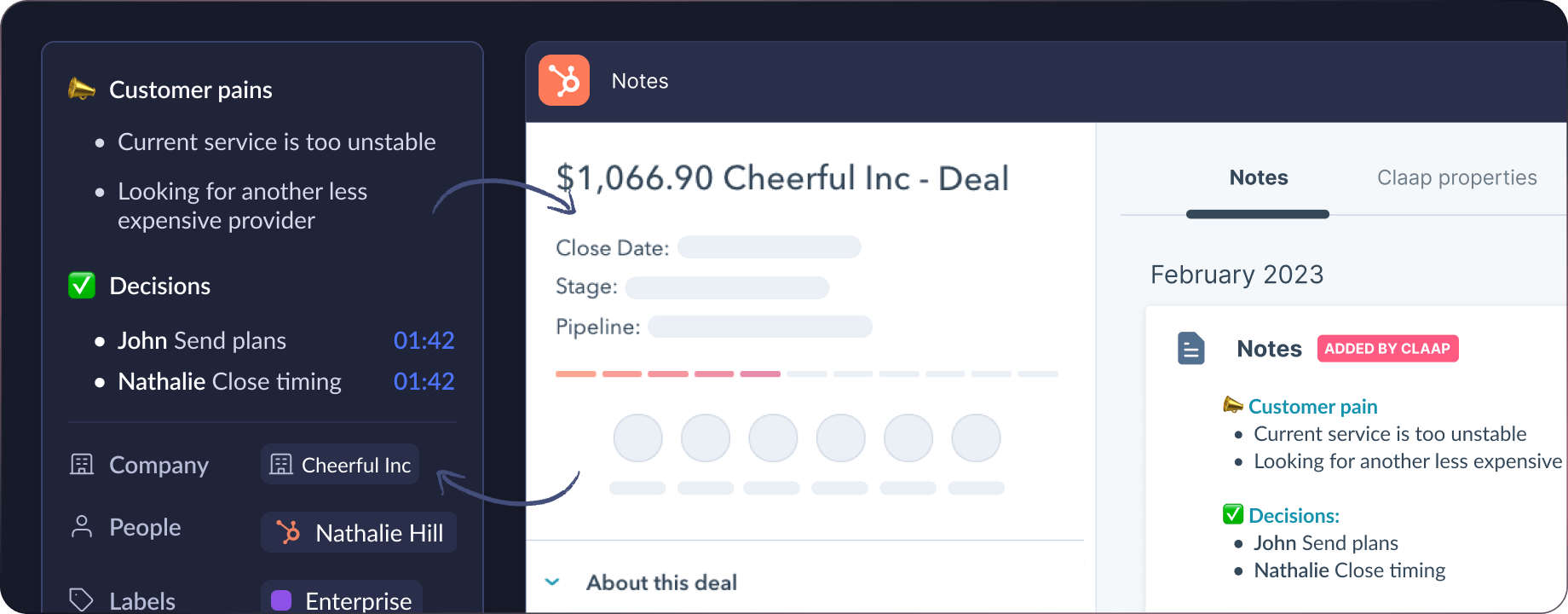
Instead of moving your entire database, you can simply add Claap as an intelligence layer on top of your current setup. Think of it as an "AI upgrade" for the big players: Salesforce, HubSpot, or Pipedrive.
While most CRMs treat call tracking as a secondary feature (a basic "add-on" that just logs an audio file), Claap treats the conversation as the core product.
Automated CRM Enrichment (Not Static Notes, Real Revenue Signals)
A standard CRM will tell you: "John called Smith on Tuesday for 14 minutes." That’s nice, but it doesn't help you win the deal.
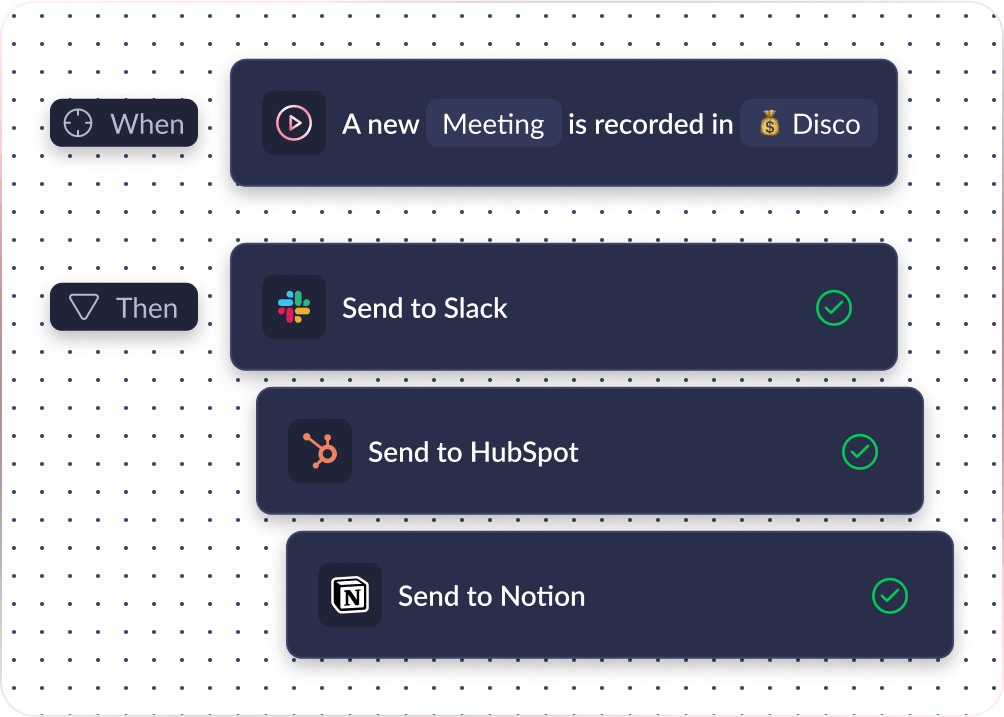
Claap’s CRM Auto-Complete listens to the conversation and automatically fills specific CRM fields based on the transcript. Because CI is its core focus, the depth of data it extracts is far beyond what a generic CRM "call logger" can do.
- Budget confirmed? Claap identifies the number and syncs it.
- Competitor mentioned? Claap tags the specific rival in your CRM.
- Next meeting date? The AI pulls the verbal commitment and updates the deal.
Your reps do zero manual data entry, your CRM stays up-to-date, and the conversation context is available to built-in AI agents or your own through Claap MCP.
Beyond Audio
Most CRMs are stuck in the age of the desk phone: they only record audio. But in 2026, if you aren't seeing the screen share, you're only getting half the story.
Claap records video and screen shares natively. This is critical for sales teams reviewing demos. You can see exactly which feature made the prospect lean in and which slide made them look at their watch. You don't get that visual revenue intelligence from a basic CRM dialer.
{{BANNER}}
Deep Dive: The 6 Best Tools for Sales Call Tracking
1. HubSpot Sales Hub - Best for Mid-Market Adoption
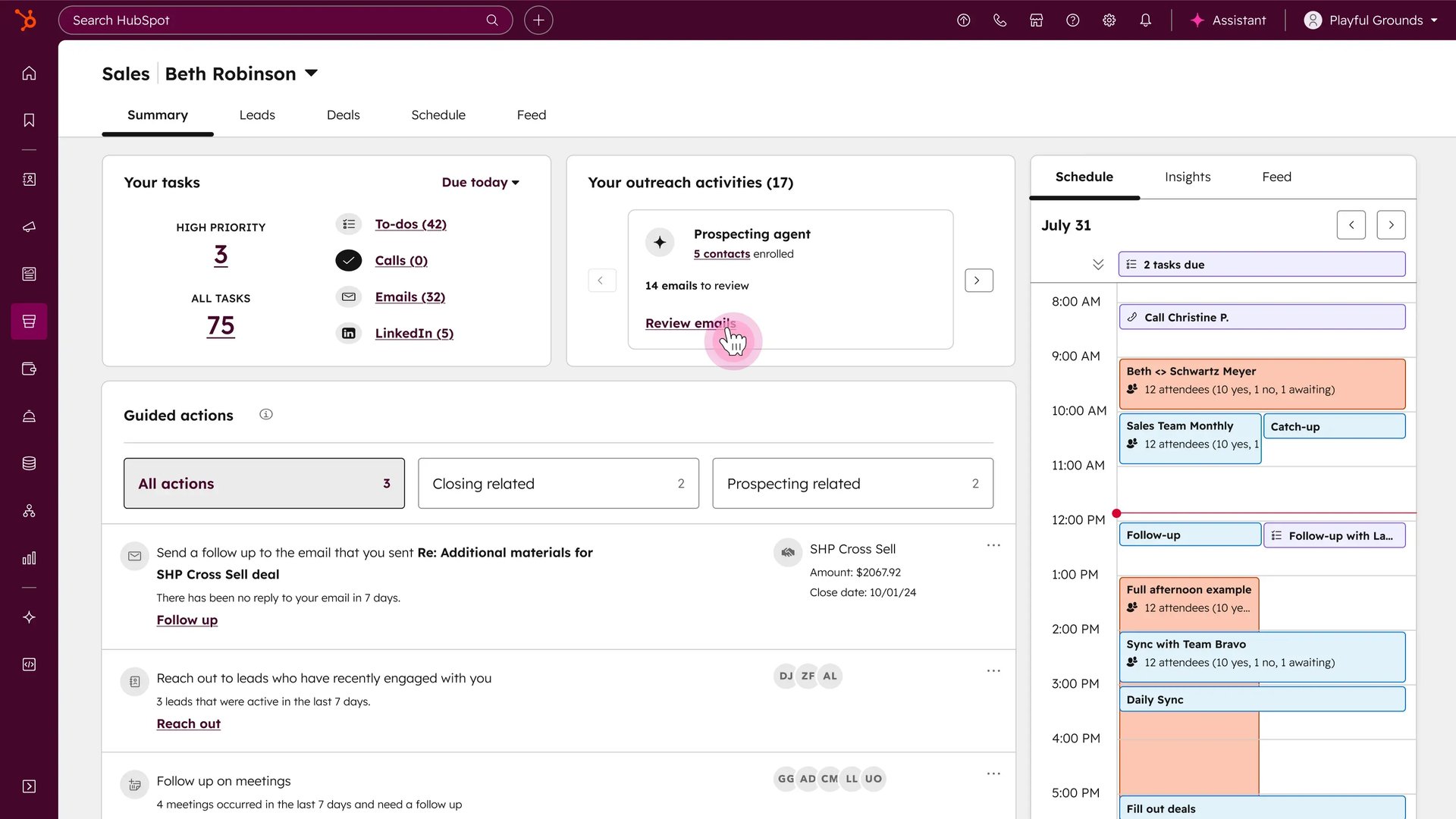
HubSpot is the "Goldilocks" of CRMs: not too complex, not too simple. It’s built for teams that need to scale fast without hiring a full-time developer just to manage their software.
- The "Killer" Call Feature: Native Transcription & Seamless Zoom Sync. Calls are automatically logged against deals, and the AI generates transcripts that live right in the activity timeline.
- Pricing Reality: Starter costs $7/seat monthly with annual billing or $20 monthly. Call transcription requires Professional ($90 annual or $100 monthly), which includes 750 hours per month and carries a one-time $1,500 onboarding fee. HubSpot AI uses monthly credits included with paid plans rather than a separate $50 add-on.
- Research Insight: "Easy to adopt, hard to leave." Onboarding usually takes days, not weeks, making it the favorite for mid-sized teams that need immediate ROI.
- Major Clients: Reddit, DoorDash, TripAdvisor.
2. Salesforce Sales Cloud - Best for Enterprise Customization
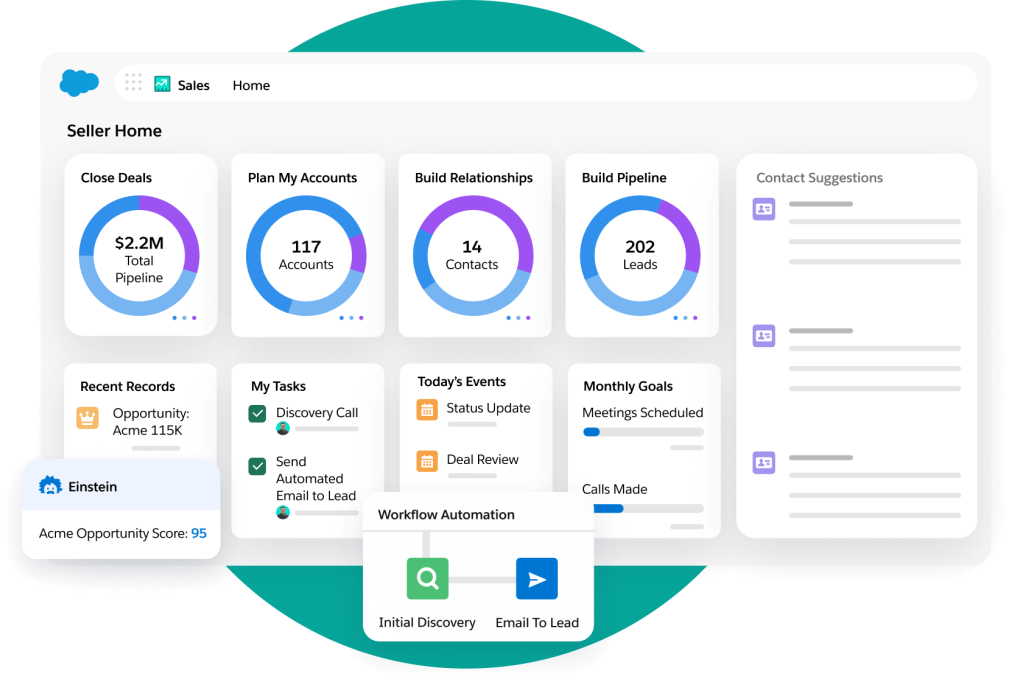
Salesforce is less of a tool and more of a platform that you build your entire company on.
- The "Killer" Call Feature: Einstein Conversation Intelligence (CI). This isn't just transcription; it’s a high-level brain that flags sentiment, buyer objections, and competitor mentions across thousands of calls simultaneously.
- Pricing Reality: High. Enterprise costs $175/user/month, while Einstein Conversation Insights starts at $50/user/month annually. Enterprise includes 60 hours per year with eligible licenses, while larger setups often spend $150k+ to get the system live and "talking" to their phone systems.
- Research Insight: It’s the only choice for complex, multi-stakeholder deals. However, expect a steep learning curve. Your reps will need formal training.
- Major Clients: Engie, Formule 1, Ubisoft.
3. Close CRM - Best for High-Volume Outbound
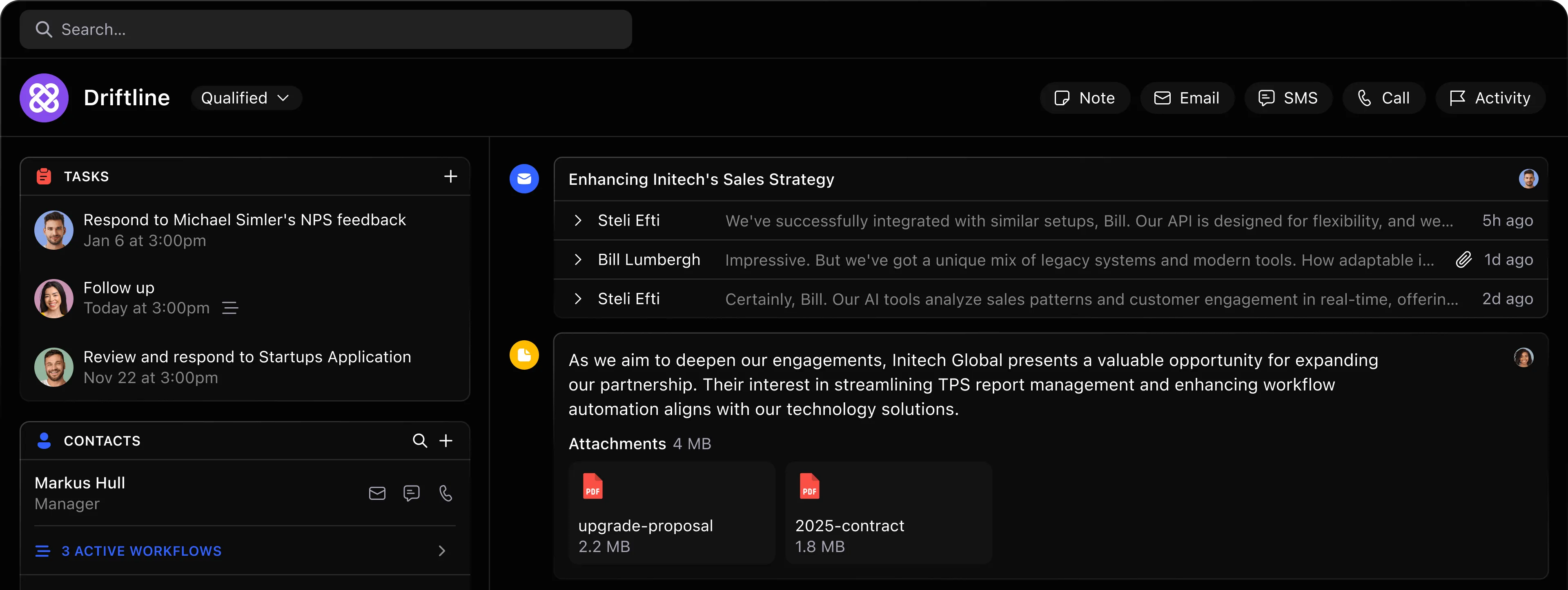
Close was built by people who actually pick up the phone. It’s stripped of the corporate fluff and focused entirely on one thing: more dials.
- The "Killer" Call Feature: The Power Dialer. It automatically calls the next lead on your list the second you hang up. It turns the CRM into a high-speed communication hub where the phone is the interface.
- Pricing Reality: Solo starts at $9/user/month annually, while the Power Dialer starts with Growth at $99. Calling and SMS are usage-based, and recording retention ranges from 30 days on Solo and Essentials to unlimited on Scale.
- Research Insight: The productivity shift is real. Our data shows top performers on Close make 40-60 calls/day, compared to the 15-20 average on more "administrative" CRMs.
- Major Clients: Resq Club, Commonwealth Joe.
4. Pipedrive - Best for Visual Pipelines (SMBs)
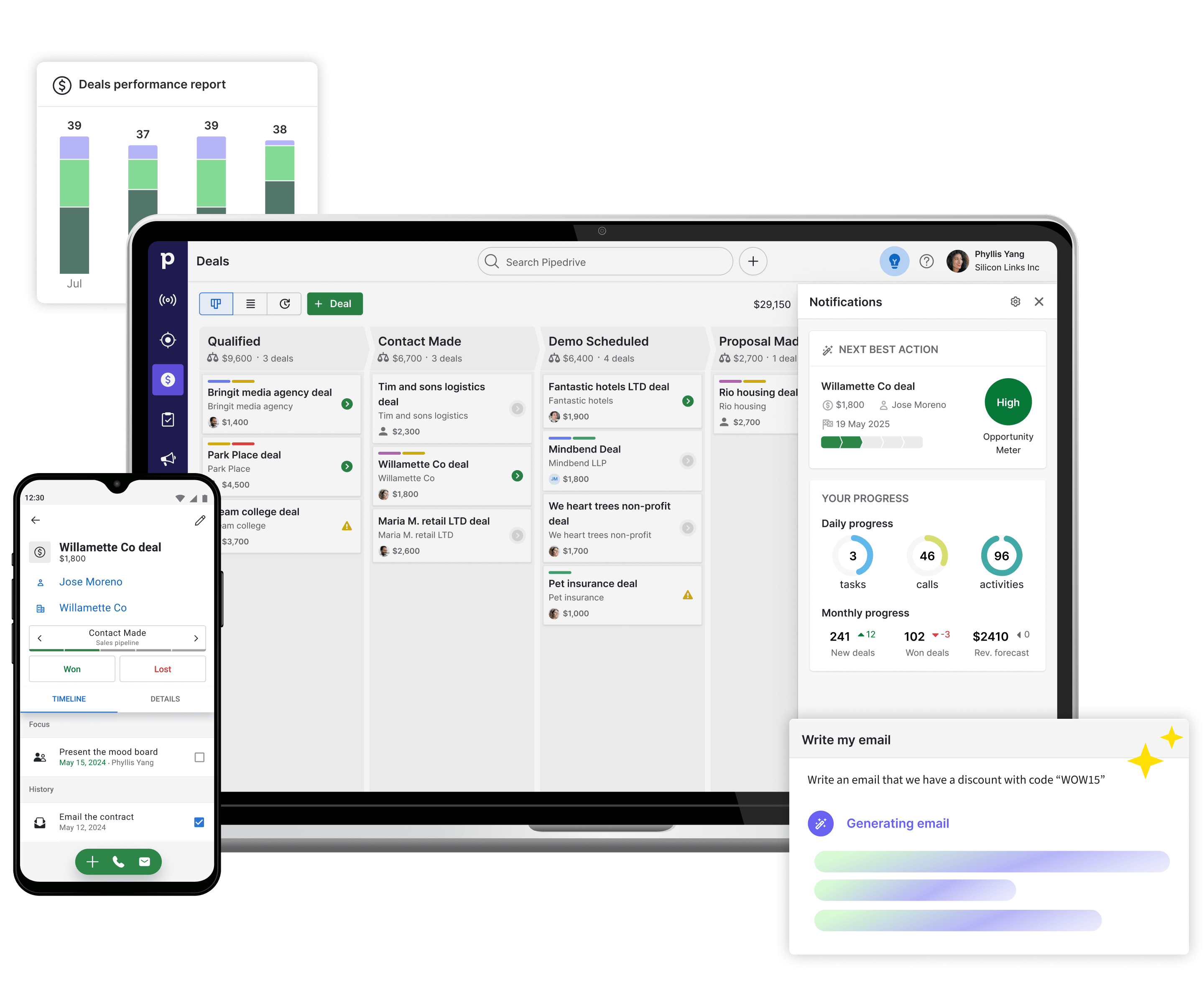
Pipedrive is the pioneer of the Kanban-style sales board. It’s designed to be tactile and visual, helping reps see exactly where a deal is stuck.
- The "Killer" Call Feature: Drag-and-Drop Activity Logging. While it lacks a high-volume native dialer like Close, it integrates beautifully with tools like Aircall. Moving a deal card can automatically trigger a call task or follow-up sequence.
- Pricing Reality: Aggressive entry at $14/user/month, but be careful. Essential tools like "LeadBooster" and "Smart Docs" are monthly add-ons that can quickly double your bill.
- Research Insight: Pipedrive prioritizes rep productivity over manager control. It’s a tool reps actually like using because it gets out of their way.
- Major Clients: Skyscanner, Vimeo.
5. Zoho CRM - Best Value Ecosystem
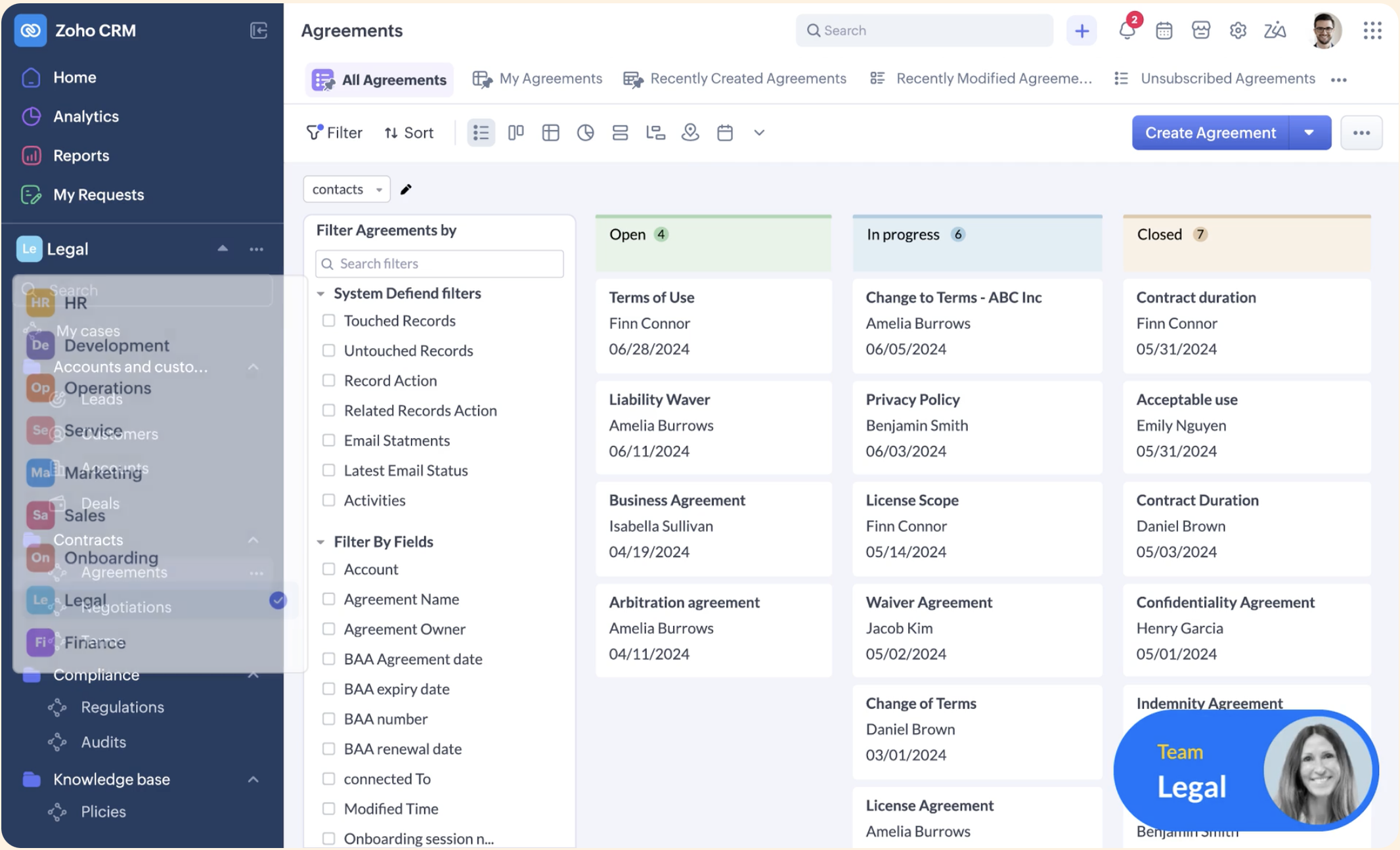
If you're already using Zoho for your mail or accounting, adding the CRM is a no-brainer. It’s the most feature-dense platform for the price.
- The "Killer" Call Feature: Zia AI Assistant. Zia provides call insights and predicts the "best time to call" based on a lead’s past behavior, providing enterprise-level intelligence at a fraction of the cost of Salesforce Einstein.
- Pricing Reality: Plans run from $14 to $99/user/month, with the value tiers at $14 to $29. If you bundle it with Zoho Voice, you have a full-scale call center for a steal.
- Research Insight: Great for cost-conscious teams, though the UI feels a bit dated compared to "sleeker" tools like Freshsales or HubSpot.
- Major Clients: Bose, Blue Star, Agoda
6. Freshsales - Best Modern Alternative
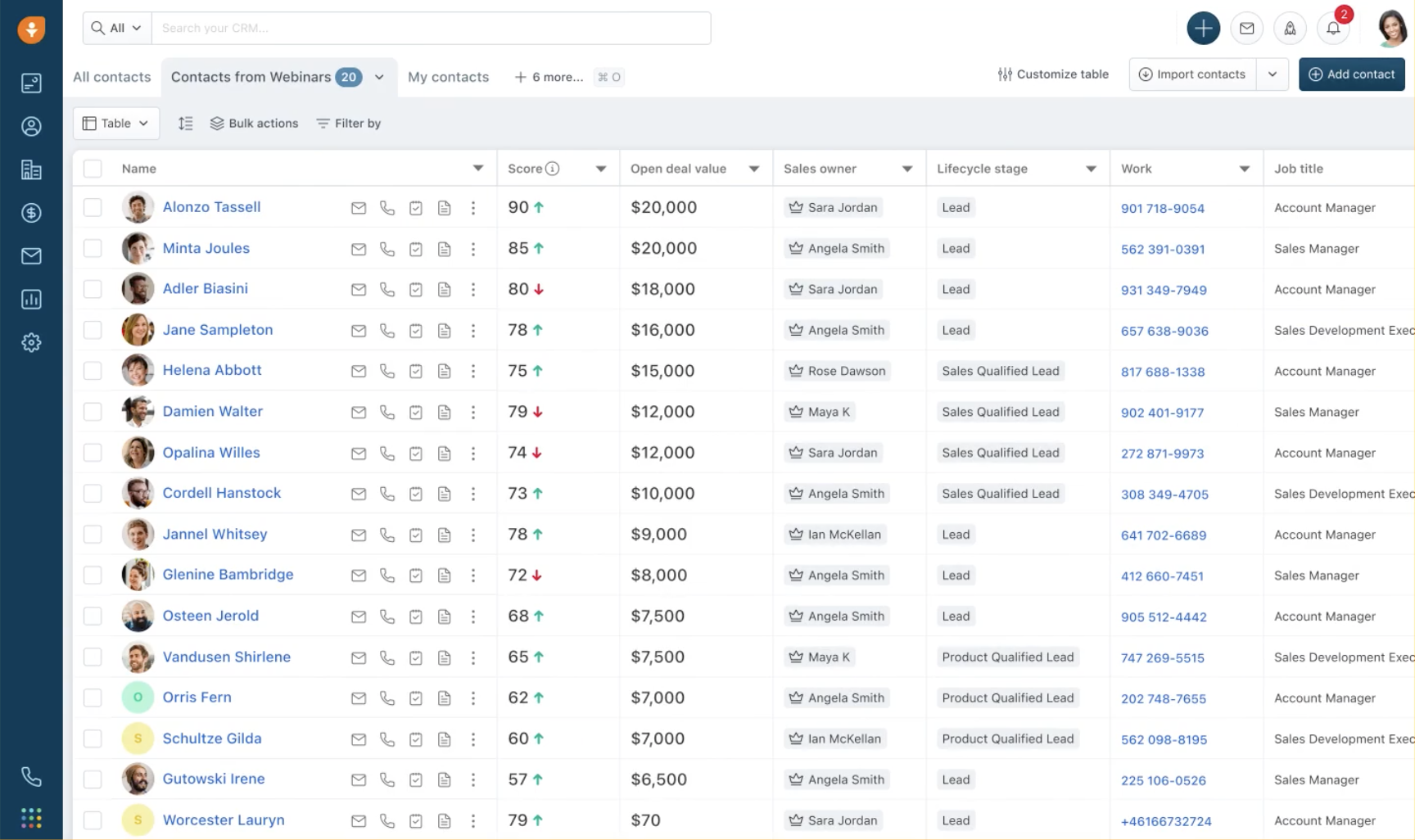
Freshsales is the newcomer that’s stealing market share from HubSpot. It’s clean, AI-native, and surprisingly powerful.
- The "Killer" Call Feature: Freddy AI. Freddy is embedded natively to score your leads and summarize calls. It helps you prioritize the "hottest" leads so you don't waste your best hours on dead-end calls.
- Pricing Reality: Growth starts at $9/user/month annually, with a free plan for up to three users. At $39/month, Pro remains roughly half the price of HubSpot Professional.
- Research Insight: It’s the "bridge" tool. Perfect for companies that have outgrown Pipedrive but find Salesforce too daunting.
- Major Clients: Blue Nile, IDrive.
Which call-tracking features actually matter?
In 2026, the CRM market is flooded with "AI-powered" stickers. To avoid paying for feature bloat that your team won't actually use, you need to focus on the three pillars of high-performance call tracking.
1. Zero-Click Automatic Logging
If your sales reps have to manually log that a call happened, your data is already compromised. High-quality call tracking should happen in the background.
The Must-Haves: The system must automatically record the duration, the timestamp, and the outcome (e.g., Connected, Voicemail, No Answer).
The "Deal-Link" Test: Ensure the call isn't just floating in a general "activity feed." It should automatically attach itself to the specific Deal or Opportunity record so managers can see the full history in context during a pipeline review.
2. VoIP Strategy: Native vs. Integrated
You need to decide how your "phone" will live inside your tech stack. There are two main paths:
- The "All-in-One" Path (Native VoIP): Tools like Close or Freshsales have the phone system built directly into the code. You don't need a separate subscription for a phone company. This is usually simpler and faster for high-volume outbound teams.
- The "Best-of-Breed" Path (Integrated): Platforms like Salesforce or HubSpot often rely on integrations with specialized phone systems (like Aircall, RingCentral, or Zoom Phone). This offers more advanced routing features (like complex IVRs) but adds another monthly bill and a potential point of failure in the "sync" between the two apps.
3. Conversation Intelligence vs. Simple Recording
Many CRMs claim to "track calls," but all they do is store a "dead" audio file. A recording alone isn't enough; you need CI.
| Feature | Simple Call Recording | Conversation Intelligence (AI Analysis) |
|---|---|---|
| Output | An .mp3 file you have to listen to. | A searchable, time-stamped transcript. |
| Analysis | None. | Identifies sentiment, competitor mentions, and pricing objections. |
| Search | Impossible to find specific moments. | Search "discount" to jump to that exact second in 300 calls. |
| Action | Rep takes manual notes. | AI automatically summarizes the call and updates CRM fields. |
How do you set up call tracking in three steps?
Setting up call tracking shouldn’t be a multi-month IT project. In 2026, the goal is to get from "zero data" to "actionable insights" in under a week. Follow this three-step roadmap to get your system live.
Step 1: Audit Your Tech Stack & Connectivity
Before you buy a single license, decide where your "dialer" lives. You have two choices:
- Native CRM Calling: If you choose a tool like Close or Freshsales, the phone is built-in. You simply buy a number in the app and start dialing.
- Third-Party VoIP Integration: If you use HubSpot or Salesforce, you’ll likely need to connect a specialized system like Aircall or RingCentral.
Ensure your VoIP and your CRM aren't both trying to record the call at the same time, which creates duplicate files and legal headaches.
Step 2: Define "Success" Beyond Minutes
Don't fall into the trap of tracking "Total Minutes Talked." A rep could spend four hours on the phone with a low-tier prospect and achieve nothing. Instead, set your CRM to track:
- Conversations Connected: How many times did a human actually pick up?
- Positive Outcome Rate: How many calls resulted in a "Next Step" or "Demo Booked" status?
- Talk-to-Listen Ratio: Usually 45-55% talk time. If a rep is talking 90% of the time, they aren't selling; they're lecturing.
Step 3: Train the AI (The "Tracker" Setup)
Once your calls are being transcribed, you need to tell the AI what to look for. Set up "Keyword Trackers" for high-value phrases:
- Competitors: Track every time a rival’s name is mentioned.
- Objections: Track words like "Budget," "Too expensive," or "Next quarter."
- Product Gaps: Track phrases like "Do you have..." or "I wish it could..."
The real power of call tracking is spotting win-rate fluctuations. If your win rate suddenly drops, don't just blame the "market." Dig into your call transcripts. You might find that your reps are missing a specific qualification step early in the funnel, like forgetting to confirm budget on the first call. By tracking the content of the calls, you can fix the leak in the funnel before it ruins your quarter. Check out here the best sales call analysis softwares.
The Compliance Trap: Recording Laws & Your CRM
If you’re recording calls in 2026, you aren't just a sales leader, you’re a data handler. Ignoring the legal fine print can lead to more than just awkward conversations; it can lead to heavy fines.
One-Party vs. Two-Party Consent
In the US, the law varies by state. Most states are "One-Party" jurisdictions, meaning as long as you (the rep) know you’re recording, you’re good. However, as of 2026, 12 states require "Two-Party" (All-Party) consent: California, Connecticut, Delaware, Florida, Illinois, Maryland, Massachusetts, Montana, New Hampshire, Oregon, Pennsylvania and Washington. If you record a prospect in Los Angeles without telling them, you’re breaking the law. For a full breakdown, check out our guide to one-party consent states.
GDPR & Storage
For EU-based calls, the rules are even tighter. Under GDPR, a person’s voice is considered personal data. You must not only inform them of the recording but also have a clear policy on how long you store that data and how they can request to have it deleted.
Actionable Advice: Automate the Disclosure
Don't rely on your reps to remember the "compliance script." Most modern CRMs allow you to automate this:
- HubSpot & Salesforce: You can set up an "Auto-Attendant" or a pre-call recording announcement that plays: "This call is being recorded for quality and training purposes" before the rep even says hello.
- Close CRM: You can toggle automatic recording on or off based on the area code you are dialing.
FAQ
Do I need a separate phone system (VoIP) with these CRMs?
It depends on the CRM's architecture. Close and Freshsales have VoIP built-in. Salesforce and HubSpot usually require an integration with a third-party provider like Aircall or RingCentral to unlock advanced telephony.
Is call recording legal?
Yes, but you must comply with consent laws. Most US states follow "one-party" rules, but 12 states (including California, Florida and Pennsylvania) and the EU (GDPR) require "two-party" or all-party consent.
High-performing teams automate this by setting up "pre-call announcements" in their CRM. This ensures legal safety without forcing reps to remember a script. Beyond compliance, recording is a professional standard: it shows you respect the prospect's time enough to not ask the same question twice in future meetings.
Can AI really transcribe sales calls accurately?
Modern AI transcription hits 90%+ accuracy. While it might miss a niche technical term, you find the real value in the ability to search 1,000 calls for keywords in seconds. Think of it as a "search engine" for your calls. Instead of listening to hours of audio, a manager can search for "pricing" to jump to the exact moment a prospect balked at a quote.
Which CRM is best for cold calling?
Close CRM is the winner due to its native Power Dialer. It is designed specifically to eliminate "dead time" between dials, keeping reps in a constant state of flow.By automating the "next dial," Close allows reps to hit 40-60 calls a day compared to the 15-20 average on manual systems. For outbound teams, this 3x increase in activity is the fastest way to scale the top of the funnel without adding headcount.
Does HubSpot free CRM include call recording?
Only at a basic level. You get a small bucket of calling minutes, but advanced features like AI transcription, keyword tracking, and conversation intelligence are locked behind the Professional and Enterprise tiers. The free tier works for solopreneurs, but scaling teams will hit the ceiling quickly. To actually use your call data for coaching or automated deal updates, you'll need the paid Sales Hub seats, where the AI tools can actually start saving your reps time.
Does a CRM include built-in Conversation Intelligence (CI)?
Most CRMs offer basic transcription, but true Conversation Intelligence is usually an enterprise add-on or a separate layer. There is a massive difference between "tracking" and "intelligence."
- Standard CRM: Tells you what was said (transcripts, keywords, call logs).
- CI (like Claap): Tells you what it means (talk/listen ratios, sentiment analysis, risk signals, and automated field enrichment).
HubSpot tells you the prospect mentioned "pricing." Claap tells you the prospect’s sentiment turned negative during that mention and automatically flags the deal as "at risk" in your CRM. See the difference?


![13 Key SaaS Sales Metrics with Examples [2026]](https://cdn.prod.website-files.com/6262a9705cabe0833039d5c8/69f2196ff5c3175e25c258d7_Visual%20(3).png)
.png)
![Sales Performance Analysis: Metrics, Methods & Tools [2026]](https://cdn.prod.website-files.com/6262a9705cabe0833039d5c8/69f1eb71c133edd842c6afdf_Visual.png)
