Fireflies costs $0, $10, $19, or $39 per user/month on annual billing in 2026, before any extra AI credit packs. If you are looking for a competitive AI transcription tool, this guide explains Fireflies' key features, plan limits, storage caps, and the pricing details that matter before you commit.
Before going further on this topic, let’s briefly remind what is Fireflies.
Please note: All the data in this article is accurate as of 1st July, 2026. It is possible prices have been updated since then.
How much does Fireflies cost in 2026?
Before we get into the details, here's a quick breakdown of Fireflies' pricing structure so you can see your options at a glance:
| Plan | Monthly Price | Annual Price | Transcription Limit | Storage | Video Recording | CRM Integration |
|---|---|---|---|---|---|---|
| Free | $0 | $0 | Unlimited* | 800 mins/seat | Audio only | None |
| Pro | $18/user | $10/user | Unlimited* | 8,000 mins | 720p video, 2-hour limit | Limited |
| Business | $29/user | $19/user | Unlimited* | Unlimited | ✓ Yes | ✓ Full access |
| Enterprise | N/A | $39/user, annual only | Unlimited* | Unlimited | ✓ Yes | ✓ Full access |
*Note: "Unlimited" transcription has fair use policies - see hidden costs below.
The annual plans save up to 44% compared to monthly billing: Pro drops from $18 to $10 per user/month, while Business drops from $29 to $19 per user/month. Students and non-profit organizations can also get an additional 10% off.
What is Fireflies?
Fireflies is basically an AI-powered platform that automates meeting recording and transcriptions, generates smart summaries, and tracks important action items. It’s also designed to integrate seamlessly with popular video conferencing tools (like Zoom, Google Meet, Microsoft Teams). It makes it a useful tool for teams and businesses that work frequently with virtual meetings, in particular sales, marketing or recruiting teams.
Fireflies key features

In particular, Fireflies' main features are the following:
- Video and audio recording;
- AI-powered note taker;
- Meeting transcription and summaries;
- Automated CRM filling;
- Task creation with voice command;
- Instant sharing to collaboration tools.
Fireflies strengths
These functionalities can help you improve your overall performance and productivity. Indeed, using Fireflies correctly, you'll be able to:
- Save time by reviewing meetings in minutes thanks to AI-powered search, filtering the key topics discussed and seeing key metrics (action items, tasks, questions, etc.). According to user reports, marketing teams save up to 15 hours weekly using Fireflies for content creation workflows;
- Facilitate the collaboration in your teams: with Fireflies, you can share your meeting notes to some collaboration apps (Slack, Notion, Asana, etc.), and you can make your summaries easy to understand with customization (comments, pins, reactions). Moreover, you can keep all your conversations in one place and even organize your meetings into specific channels;
- Improve your decisions with data analytics: Fireflies helps you analyze your meetings through conversation intelligence. You can track key metrics to measure your performance (talk time, sentiment, monologues) in order to identify areas of improvement and then coach efficiently your teams;
- Secure your data: you can ensure that your meeting information is visible only to the appropriate members of your team. Fireflies maintains a 4.8/5 rating on G2 and is trusted by 75% of Fortune 500 companies for their meeting intelligence needs.
New Features
Fireflies keeps adding capabilities to stay competitive. Here are the updates buyers should know about:
Talk to Fireflies
This is Fireflies' biggest recent update. Powered by Perplexity AI, "Talk to Fireflies" lets you ask questions and get web search results during meetings. Think of it like having ChatGPT inside your meeting recorder - you can fact-check claims, look up company info, or research competitors in real-time without leaving the call interface.
Even the Free plan includes this feature, which is a smart move by Fireflies to stay competitive with newer AI meeting tools.
Real-Time Meeting Notes
Fireflies now generates bullet-point notes during the call itself, not just after. This means you can see key points, action items, and questions being captured as they happen. It's useful for staying on track during longer meetings.
Expanded Language Support
Fireflies now supports transcription in 100+ languages, making it one of the more globally-friendly meeting tools. If you're working with international teams or multilingual sales territories, this is a major advantage over competitors like Otter (which focuses primarily on English).
The "Hidden" Costs You Need to Know Before Buying
Here's something most Fireflies pricing pages won't tell you upfront: there are limitations and additional costs that can catch you off guard if you're not careful.
The AI Credit System
While Fireflies advertises "unlimited summaries," the reality is more nuanced. Advanced AI features like AskFred (their AI assistant) and certain analytics tools consume AI credits. These credits aren't unlimited on any plan, and once you run out, you'll need to buy more:
- AI Credit packs range from $5 to $600 depending on volume
- Heavy users report unexpected charges when relying heavily on AI features
- The credit system isn't transparent until you're already using the product
Storage Caps on the Pro Plan
The Pro plan ($10/user/month annually) lists "unlimited transcription," but there's a catch: you only get 8,000 minutes of storage. That might sound like a lot, but if you're recording multiple meetings daily, you'll fill this up in about 4-5 months. After that, you'll need to either delete old recordings or upgrade to Business.
Upload Limits vs. Live Recording
There's a difference between recording live meetings and uploading pre-recorded files. While live meeting recording follows fair use policies, file uploads are capped. If you need to import historical meetings or recordings from other sources, you'll hit limits quickly on lower-tier plans.
The Real Cost Comparison
When factoring in these hidden limitations, the "true" monthly cost can be higher than advertised, especially if you need AI credits or bump up against storage limits. Always calculate based on your actual meeting volume, not just the sticker price.
Fireflies Pricing Structure: Detailed Breakdown

Now let's dive into each pricing tier in detail so you can figure out which one actually fits your needs.
Free Plan: Best for Testing
The Free plan is Fireflies' way of letting you test drive the product before committing. It's functional but intentionally limited:
- Storage: 800 minutes total (fills up in about 6 weeks of regular use)
- Transcription: Limited to the same 800 minutes
- Channels: Only 3 public channels for organizing meetings
- Integrations: None - you can't connect to Slack, Salesforce, or other tools
- AI Features: Basic transcription only, no advanced analytics
Verdict: Good for trying out Fireflies or handling occasional meetings, but not viable for serious daily use. The lack of integrations alone makes it impractical for most teams.
Pro Plan: $10/month (Billed Annually) - For Solopreneurs
The Pro plan is Fireflies' entry-level paid tier, positioned for individuals or very small teams:
- Monthly: $18 per user
- Annual: $10 per user (saves you 44%)
- Storage: 8,000 minutes (approximately 4-5 months of regular use)
- Video: 720p video recording with a 2-hour limit
- CRM Integration: Limited functionality
- AI Features: Meeting summaries, AI search, conversation analytics
The Catch: You get 720p video recording at this level, but only with a 2-hour limit. If your meetings are longer, or if you need broader team controls, you'll need to upgrade. Also, that 8,000-minute storage cap means you'll hit the ceiling faster than you think.
Verdict: Works for solopreneurs or consultants who only need audio transcription and don't require CRM automation. But most sales teams will outgrow this quickly.
Business Plan: $19/month (Billed Annually) - For Teams
This is where Fireflies becomes genuinely useful for sales and customer success teams:
- Monthly: $29 per user
- Annual: $19 per user (saves you 34%)
- Storage: Unlimited
- Video: ✓ Full video recording
- CRM Integration: Complete access to Salesforce, HubSpot, and other platforms
- AI Features: All analytics, conversation intelligence, custom vocabulary
Key Unlocks:
- Video recording (critical for screen share captures)
- Unlimited storage (no more deleting old calls)
- Full CRM automation (updates deal fields automatically)
- Private channels for sensitive meetings
Verdict: This is the "standard" tier for most companies. If you're a sales team that lives in Salesforce or HubSpot and needs reliable meeting intelligence, this is your starting point. The unlimited storage alone justifies the upgrade from Pro.
Enterprise Plan: $39/month (Billed Annually)
Enterprise is mandatory if you need compliance, security, or high-volume support:
- Pricing: $39 per user per month, billed annually
- Security: HIPAA compliance, SOC 2, custom data residency
- Support: Dedicated onboarding, priority support
- Features: Everything in Business, plus SSO, SCIM, HIPAA, advanced admin controls, and 50 AI credits
Verdict: If you're in healthcare, finance, or any regulated industry, you'll need Enterprise. Same goes for companies with 50+ users who need volume discounts and dedicated support. Otherwise, Business is sufficient.
How Does Fireflies Compare to Alternatives?
If you're evaluating Fireflies, you're probably also looking at other tools. Here's how they stack up:
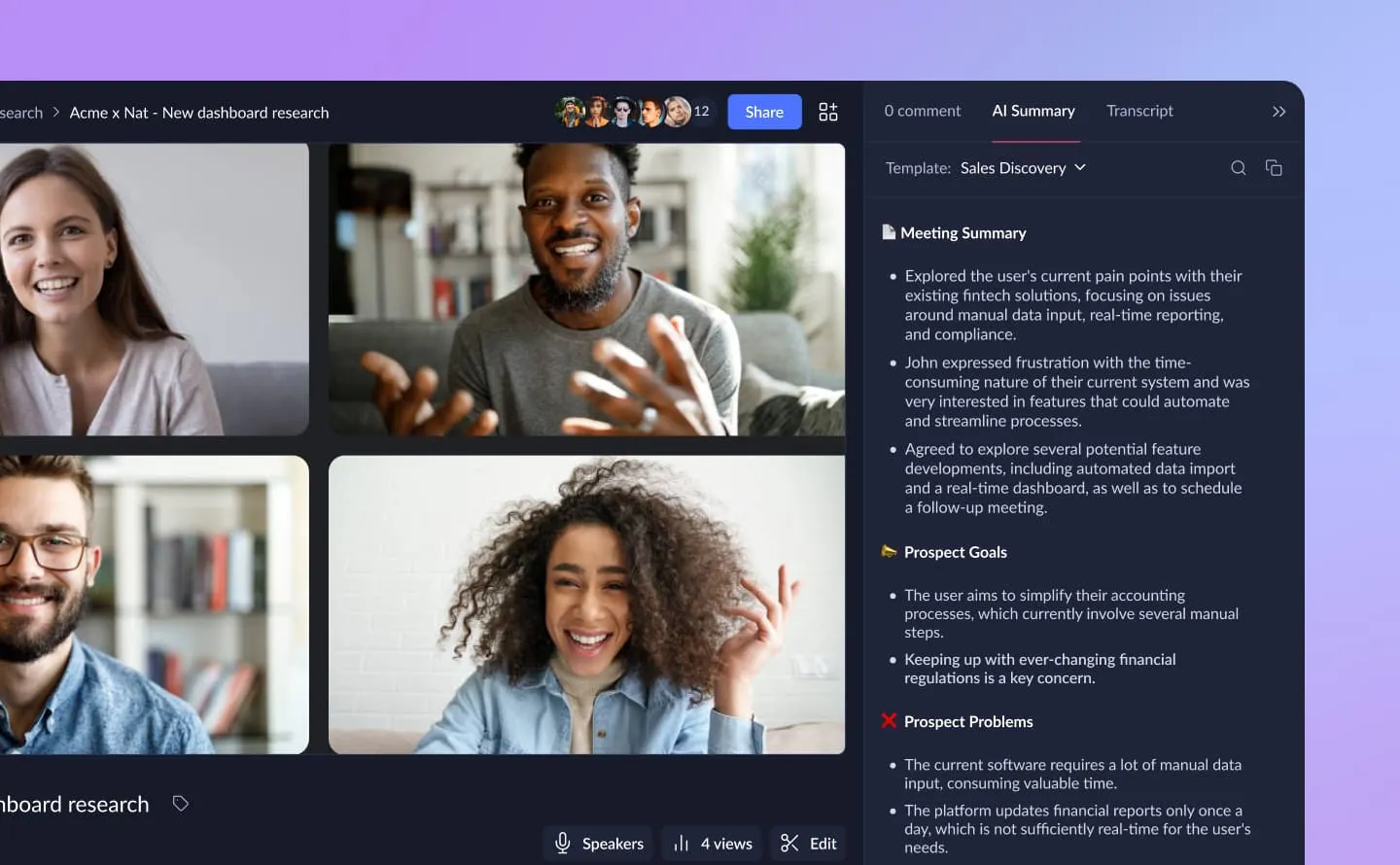
Fireflies vs. Claap
- Best fit for sales-specific workflows: Claap (built for sales teams with deal scoring, pipeline insights, and coaching modules)
- Best fit for transparent AI usage: Claap (conversation intelligence with clear feature tiers)
- Best fit for sales ROI proof: Claap (customers report 10-day shorter sales cycles, 66% win rate improvements, 33% better demo conversions)
Bottom line: Fireflies is a solid general-purpose meeting tool. Claap is a sales-focused conversation intelligence platform for teams who need deal visibility, rep coaching, CRM enrichment, and AI agents powered by every sales conversation.
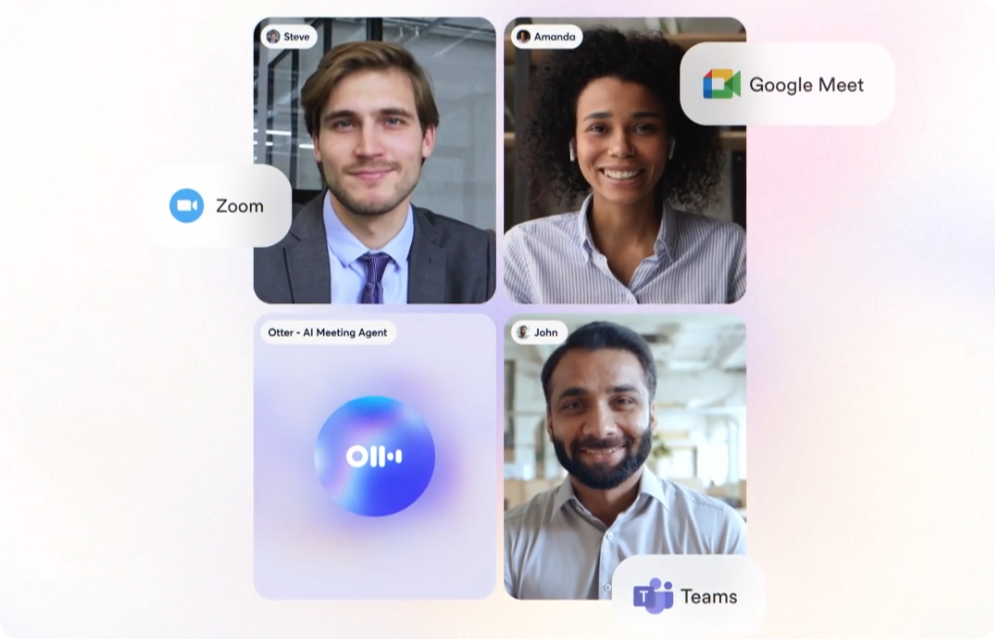
Fireflies vs. Otter.ai
- Winner for integrations: Fireflies (better CRM connections, more third-party apps)
- Winner for price: Otter (cheaper entry-level plans)
- Winner for collaboration: Otter (better real-time note editing)
Bottom line: Choose Fireflies if you need deep Salesforce/HubSpot integration. Choose Otter if you want a simpler, cheaper transcription tool.

Fireflies vs. Fathom
- Winner for free tier: Fathom (more generous limits)
- Winner for AI analysis: Fireflies (deeper conversation intelligence)
- Winner for simplicity: Fathom (cleaner interface, fewer bells and whistles)
Bottom line: Fathom is better for teams that just want clean transcripts and summaries. Fireflies is better if you need analytics and CRM automation.
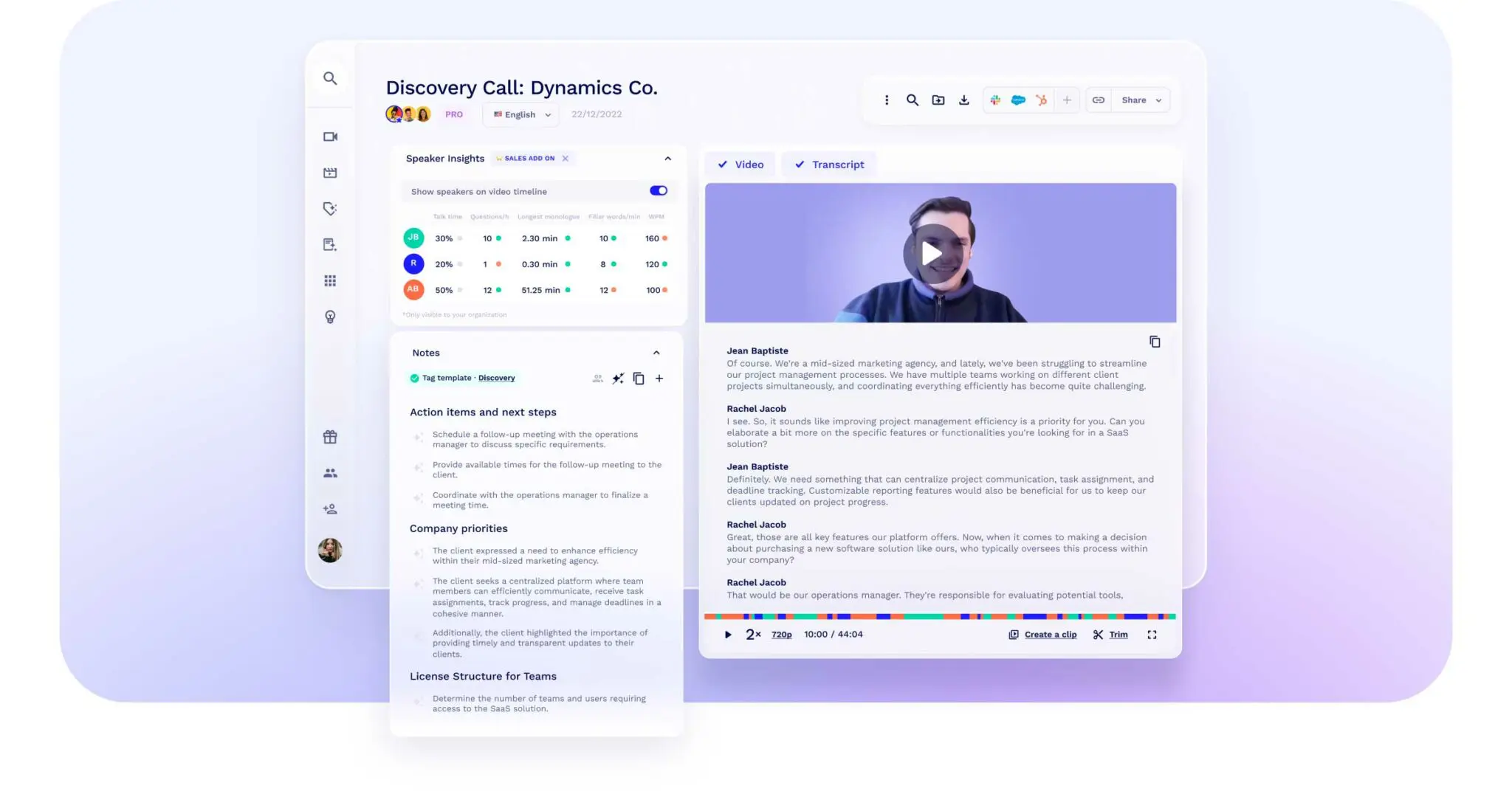
Fireflies vs. tl;dv
- Winner for search: Fireflies (semantic search understands context better)
- Winner for video features: tl;dv (better free video recording)
- Winner for AI depth: Fireflies (more comprehensive analytics)
Bottom line: If you prioritize video clip sharing and basic transcription, tl;dv wins. If you need conversation intelligence and deal insights, Fireflies is the better choice.
Is Fireflies Worth It? Our Verdict

So after all this, should you pay for Fireflies? Here's the honest answer.
Fireflies is worth it if:
- You live in Salesforce, HubSpot, or another major CRM - the automation alone saves hours weekly
- You need multi-language support for global teams
- You want deep conversation analytics to coach reps and improve sales performance
- You're willing to pay for the Business plan ($19/user/month) - the Pro plan is too limited for most teams
Fireflies is NOT worth it if:
- You just need basic transcripts - use Fathom or Otter instead
- You have a strict budget and can't justify $19+ per user - there are cheaper alternatives
- You hit the hidden AI credit limits frequently - the extra costs add up
- You're annoyed by lack of pricing transparency - the "hidden costs" frustrate many users
The Trust Factor
One positive sign: Fireflies is a widely adopted AI meeting tool with a strong presence in mid-market and enterprise teams. That matters when you are choosing software that will store meeting records, connect to your CRM, and sit inside daily sales workflows.
Final Take
Fireflies delivers solid value if you need CRM automation and conversation intelligence. But be prepared for the hidden costs (AI credits, storage limits on Pro) and understand that you'll realistically need the Business plan ($19/month) to get the full benefit. The Free and Pro plans are too constrained for serious sales teams.
Discover Your Best Alternative - Claap
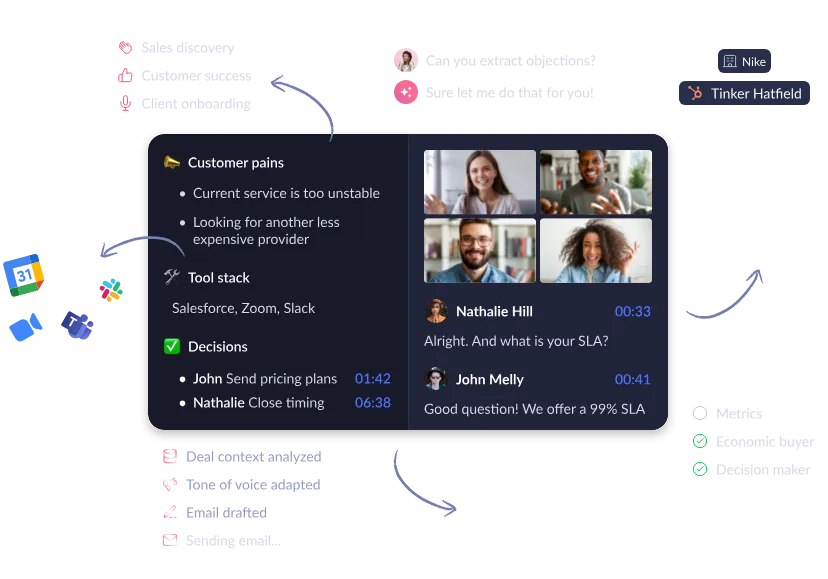
You're interested in Fireflies but realized the paid options don't quite fit your needs? You want comprehensive AI insights without hitting hidden paywalls? Take a look at Claap.
What Makes Claap Different?
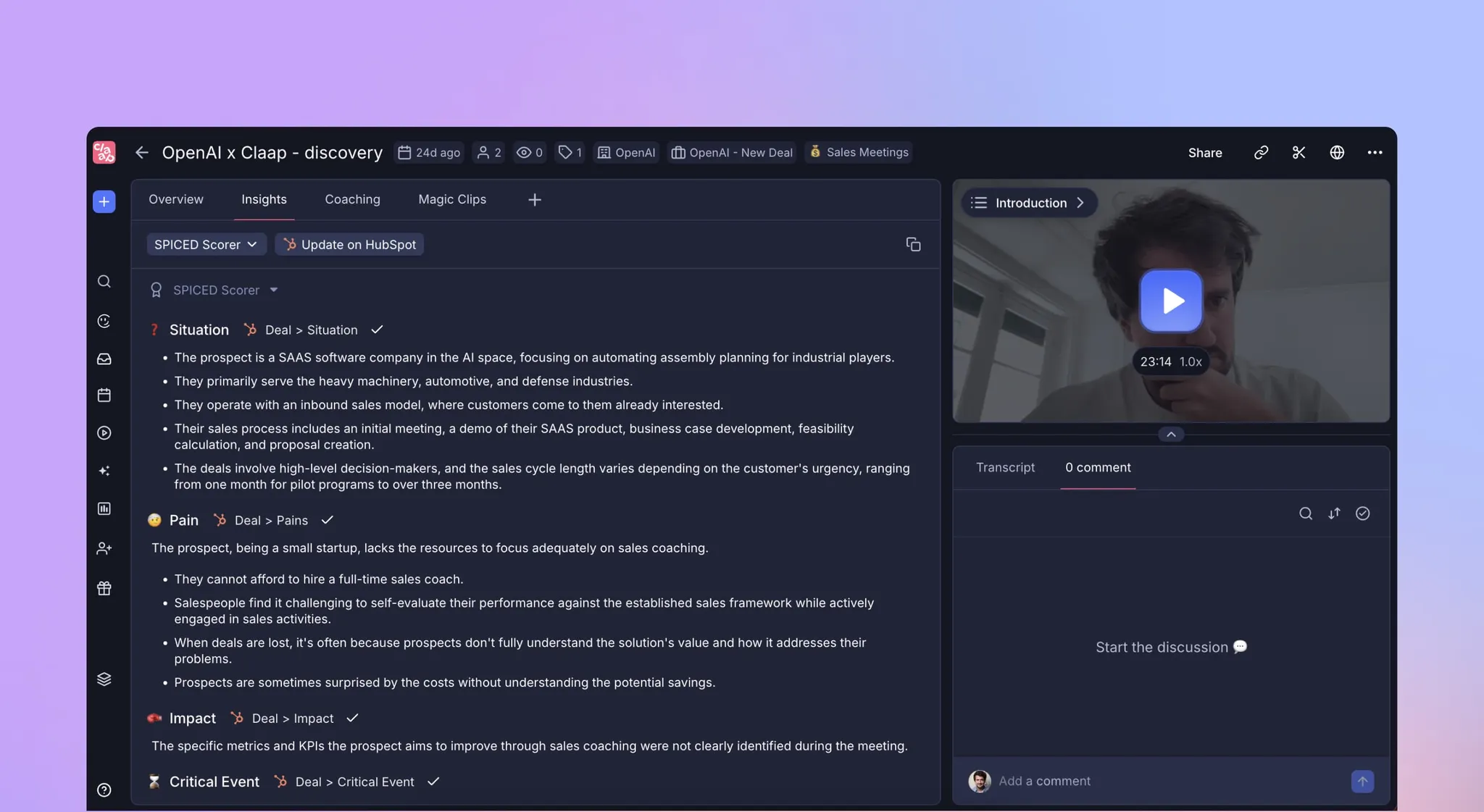
Claap is conversation intelligence for the AI Agent Era - built specifically for sales teams to capture every customer conversation and turn it into follow-ups, CRM updates, coaching, and context for your own AI agents. It records conversations, enriches your CRM, activates AI agents through MCP, and helps managers coach from real calls.
Unlike general-purpose meeting tools, Claap gives you full visibility into your pipeline - from objections and deal risks to new opportunities and market trends. Managers can coach teams faster, identify performance patterns, and drive consistent execution - all in one workspace.
Key Features That Set Claap Apart:
- Sales Call Insights & Deal Reports: Automatically highlights action items, objections, risks, and competitive mentions so you can act faster
- Smart Meeting Templates: Customize summaries that match your sales process (discovery, demos, QBRs) with no manual work
- Sales Coaching at Scale: Analyze talk ratios and conversation patterns to deliver targeted feedback
- Seamless Integrations: Connects with HubSpot, Salesforce, Attio, Notion, Slack, and Jira to keep your sales system in sync
- AI agents and MCP: Activate built-in agents or connect your own AI agents to real sales conversations through MCP
Claap Pricing
- Free Plan: A free way to test Claap's sales conversation intelligence
- Paid plans: Fair pricing for teams that need recordings, AI notes, CRM enrichment, deal insights, coaching, and AI-agent workflows
- Enterprise Plan: Custom packaging tailored to security, scale, and rollout needs
When should sales teams choose Claap?
The difference shows up in results. Surfe shortened their sales cycle by 10 days. TenderApp saw a 66% uplift in win rates (from 9% to 15%). Ronspot improved demo conversions by 33% and boosted deal value by 26%.
Claap is trusted by 10,000+ sales reps who chose speed, adoption, and fair pricing over legacy tooling. It is built around conversation intelligence, CRM enrichment, coaching, and AI-agent workflows rather than general-purpose meeting capture alone.
Try Claap free (no credit card needed) or book a demo to see how it compares.
FAQ
What's the difference between storage minutes and transcription minutes?
Transcription minutes refer to how much audio/video Fireflies will process and convert to text. Storage minutes refer to how long you can keep those recordings saved. On the Pro plan, you get "unlimited" transcription (meaning Fireflies will transcribe any meeting) but only 8,000 minutes of storage (meaning old recordings get deleted after you hit that cap).
Does the Free plan include video recording?
No. The Free plan records audio only. Pro includes 720p video recording with a 2-hour limit, while Business includes 720p video recording with a 3-hour limit.
How do Fireflies AI Credits work?
AI Credits are used for advanced features like AskFred (the AI assistant) and certain analytics. While basic transcription and summaries are included in your plan, these premium AI features consume credits. When you run out, you'll need to purchase credit packs ranging from $5 to $600.
Is Fireflies HIPAA compliant?
Only on the Enterprise plan. If you're in healthcare or handle protected health information (PHI), you'll need to contact Fireflies for custom Enterprise pricing that includes HIPAA compliance features.
Can I cancel and get a refund?
Fireflies' refund policy is strict. According to user reports, you cannot get a refund after you've recorded 20 meetings. Make sure to test thoroughly during your trial period before committing to an annual subscription.
FAQ