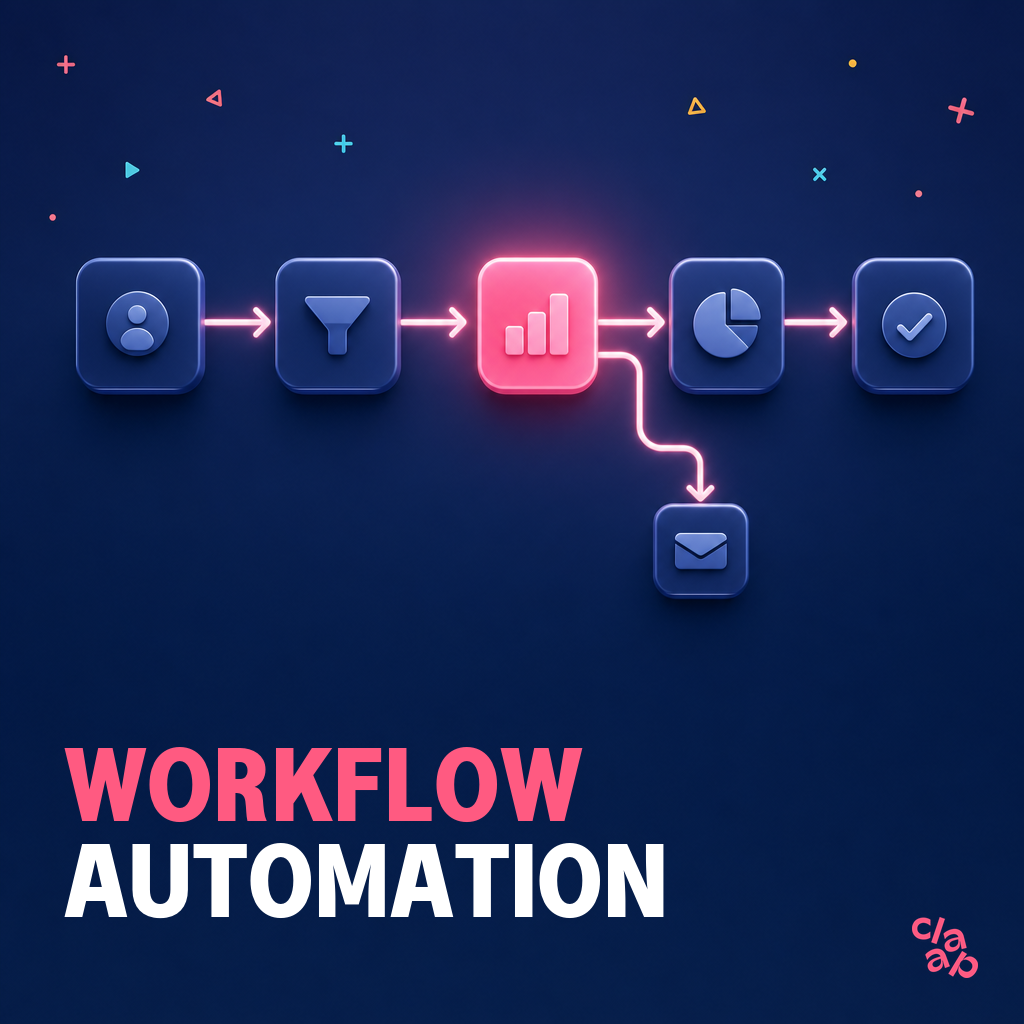
Manual sales admin has become obsolete. Why spend hours on data entry when an entire post-call workflow can take less than sixty seconds?
I have watched systems automatically update CRM records, draft follow-up emails, and identify deal risks in real-time. This level of efficiency allows a business to focus on its core mission instead of administrative overhead.
However, the current market is saturated with efficiency-focused platforms, while few actually enhance a salesperson's natural intuition. The real winners in 2026 are the tools that blend high-volume outreach with deep intelligence, and finding the right one means identifying the features that increase deal speed and win rates.
Here are the 10 best sales automation tools I have evaluated this year.
What is Sales Automation & Why You Need It Now
Essentially, sales automation serves as the primary engine driving your repetitive workflows, from sourcing leads to data entry. It functions as a powerful force multiplier, ensuring your team maintains consistency while avoiding administrative burnout. I have found the true value lies in reclaiming hours typically wasted in manual tasks.
The ROI is undeniable;
- it manages the administrative burden that distracts you from selling
- it guarantees every prospect receives a timely response
- it maintains your professional brand while allowing reps to prioritize high-intent deals
While some leaders fear losing the "human touch," my take is that the most effective tools actually enhance your humanity. By taking over repetitive tasks, these platforms provide the necessary bandwidth for authentic connection. They don't replace your skills; they actively support and sharpen your natural intuition.
For organizations ready to modernize, integrating an AI-powered meeting recorder serves as an ideal foundation. You might also examine our comprehensive guide on AI sales tools to understand how these technologies align with a high-growth strategy.
The 10 Best Sales Automation Tools: 2026 Summary
1. Claap
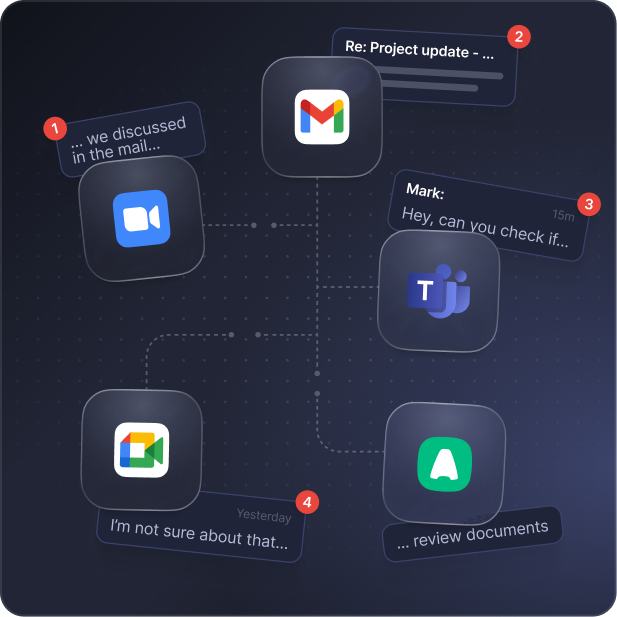
- Best For: Teams that need to automate CRM updates and capture deep intelligence from every sales meeting.
- Real Pricing & Hidden Costs: You can start with a free tier, while professional plans begin at approximately $24/mo. The total cost is transparent because the primary value comes from the AI transcription and summary features.
- Top Features & AI Highlight:
- AI Meeting Summaries & Auto-CRM Entry: Claap uses AI to generate structured meeting summaries and automatically populate CRM fields.
- Asynchronous Coaching: Managers can leave feedback directly on specific moments of a call recording to support remote teams without scheduling extra meetings.
- Automatic Note Capture: The platform identifies deal risks and next steps effortlessly, which keeps your system of record accurate.
My Verdict: Claap easily eliminates manual note taking. However, for very complex enterprise deals with unique custom fields, the AI summaries may still require a quick manual audit to ensure 100% accuracy in the CRM.
{{BANNER}}
2. lemlist
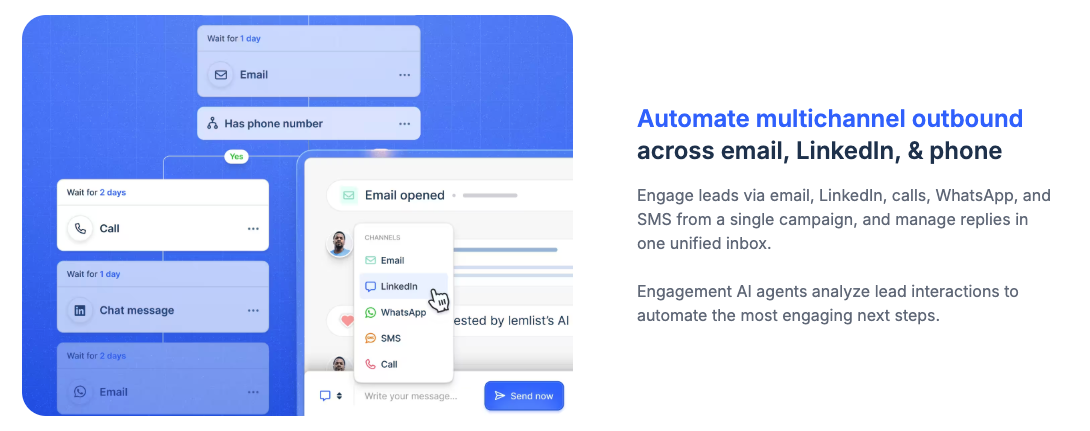
- Best For: Startups and agencies that require high email deliverability and hyper-personalized outbound campaigns.
- Real Pricing & Hidden Costs: Plans start around $39/mo. While the multichannel price is accessible at $79/mo, remember that adding best-in-breed partners for data enrichment or VOIP capabilities will increase your monthly investment.
- Top Features & AI Highlight:
- AI-Agentic Enrichment: These agents autonomously crawl LinkedIn, company websites, and recent news in real-time to find unique icebreakers and data points for hyper-personalized outreach.
- Custom Video Snippets: This feature allows you to add a manual personalization step to automated sequences for high-value accounts.
- Multichannel Sequences : The platform manages automated touchpoints across email and LinkedIn to ensure consistent visibility.
My Verdict: This tool is a favorite for those who want to avoid the "generic blast" approach to cold email. On the downside, pricing scales up aggressively as you add team members, and the credit no-rollover policy can be a source of frustration for teams with variable monthly volumes.
3. Granola
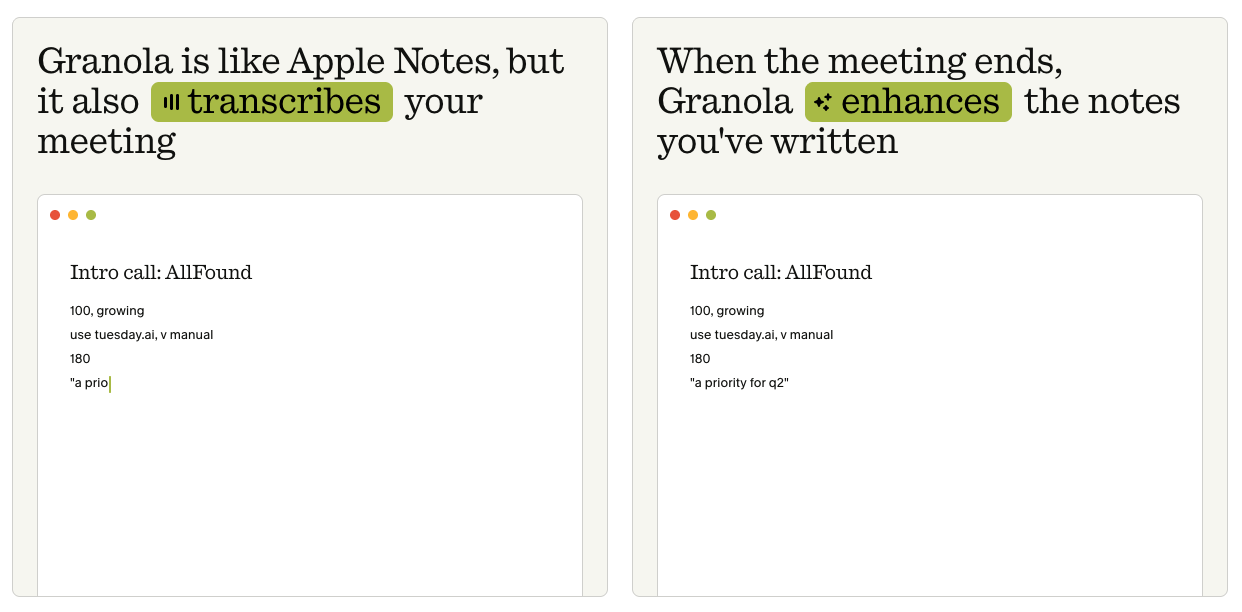
- Best For: Professionals, founders, and individual contributors who want a minimalist, non-intrusive tool that elevates their personal meeting note-taking without bringing heavy bots into their calls.
- Real Pricing & Hidden Costs: Operates on a highly accessible self-serve model, with a free tier for basic usage and a Business tier at $14 per user/month. Because it runs locally on your computer rather than relying on heavy cloud-bot infrastructure, hidden costs or surprise enterprise overages are virtually non-existent.
- Top Features & AI Highlight:
- Bot-Free Audio Capture: Unlike traditional competitors, Granola does not send a visible bot to join your meeting link. It captures audio directly from your system, making it completely invisible to other participants.
- Context-Aware Note Structuring: The AI reads your raw, bulleted scribble notes and combines them with the meeting audio to generate structured summaries that still sound like your personal writing style.
- Minimalist Workspace Integration: Built to live in the background of macOS or Windows, letting users trigger templates or action items without leaving their native desktop workflow.
My Verdict: Granola is a game-changer if your sole focus is pure meeting note-taking and you hate the awkwardness of external meeting bots. It doesn't try to analyze your sales pipeline or manage video libraries; it simply makes your text notes flawless. However, because it is built entirely for individual text documentation, it lacks the collaborative asynchronous video recording, screen sharing, and interactive comment threads that form the core of Claap's conversational video workspace.
4. Outreach
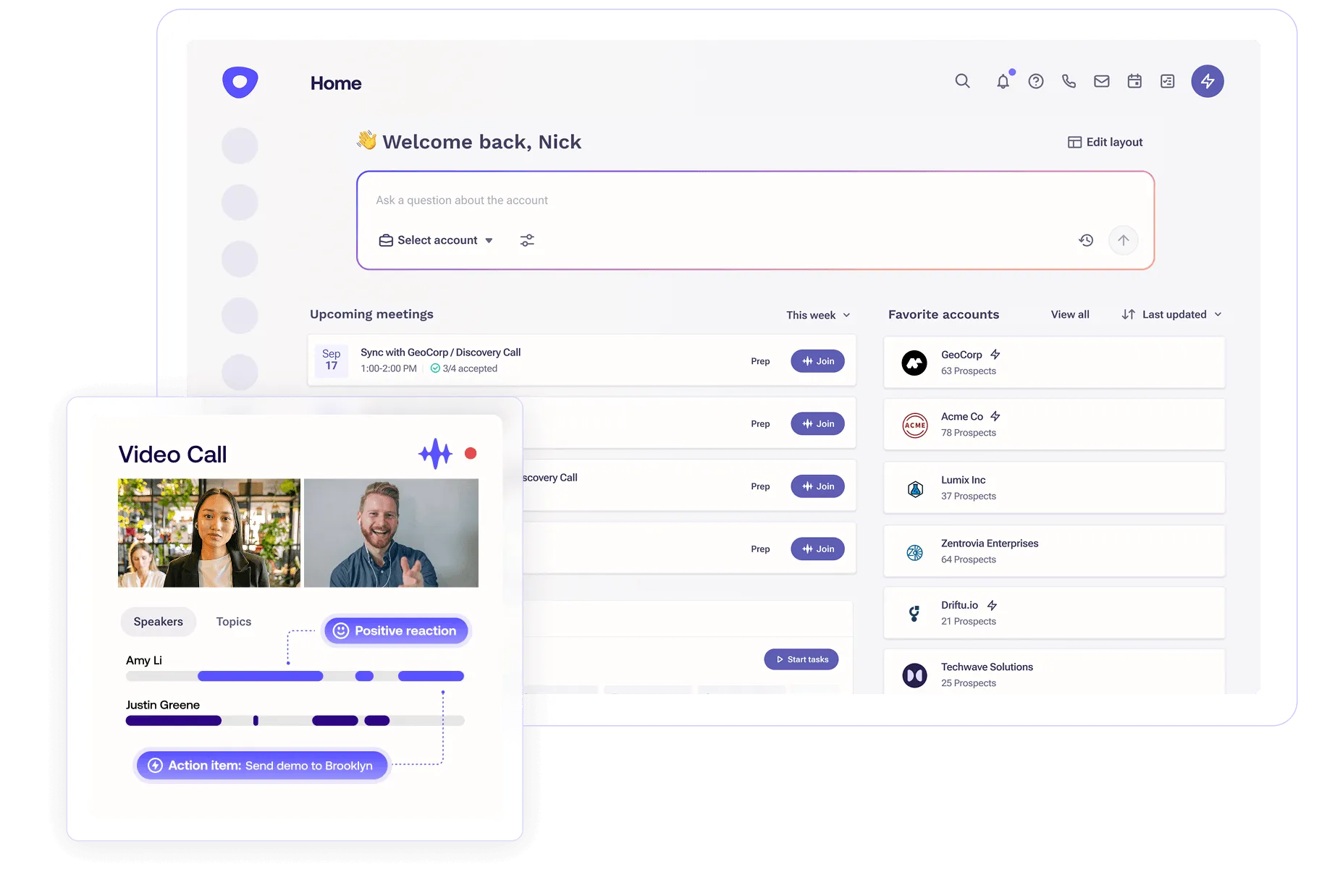
- Best For: Large enterprise sales teams that rely heavily on Salesforce and complex, multi-touch workflows.
- Real Pricing & Hidden Costs: Pricing is custom and usually starts above $100/mo per user. You should expect mandatory onboarding fees and annual contracts. Adding advanced features like conversation intelligence typically requires an additional premium.
- Top Features & AI Highlight:
- Outreach's "Kaia": This real-time AI assistant joins live calls to provide reps with instant objection-handling prompts and content recommendations.
- Sales Execution Platform: It offers deep integration with Salesforce, keeping high-volume outreach synced with complex enterprise data structures.
- Smart Email Assistance: The AI identifies buyer intent and suggests the best time to follow up based on historical engagement data.
My Verdict: Enterprise leaders love the robust reporting and the control it gives over large teams. However, the UI can feel bloated, with a steep learning curve that frustrates reps who just want to move quickly.
5. Salesloft
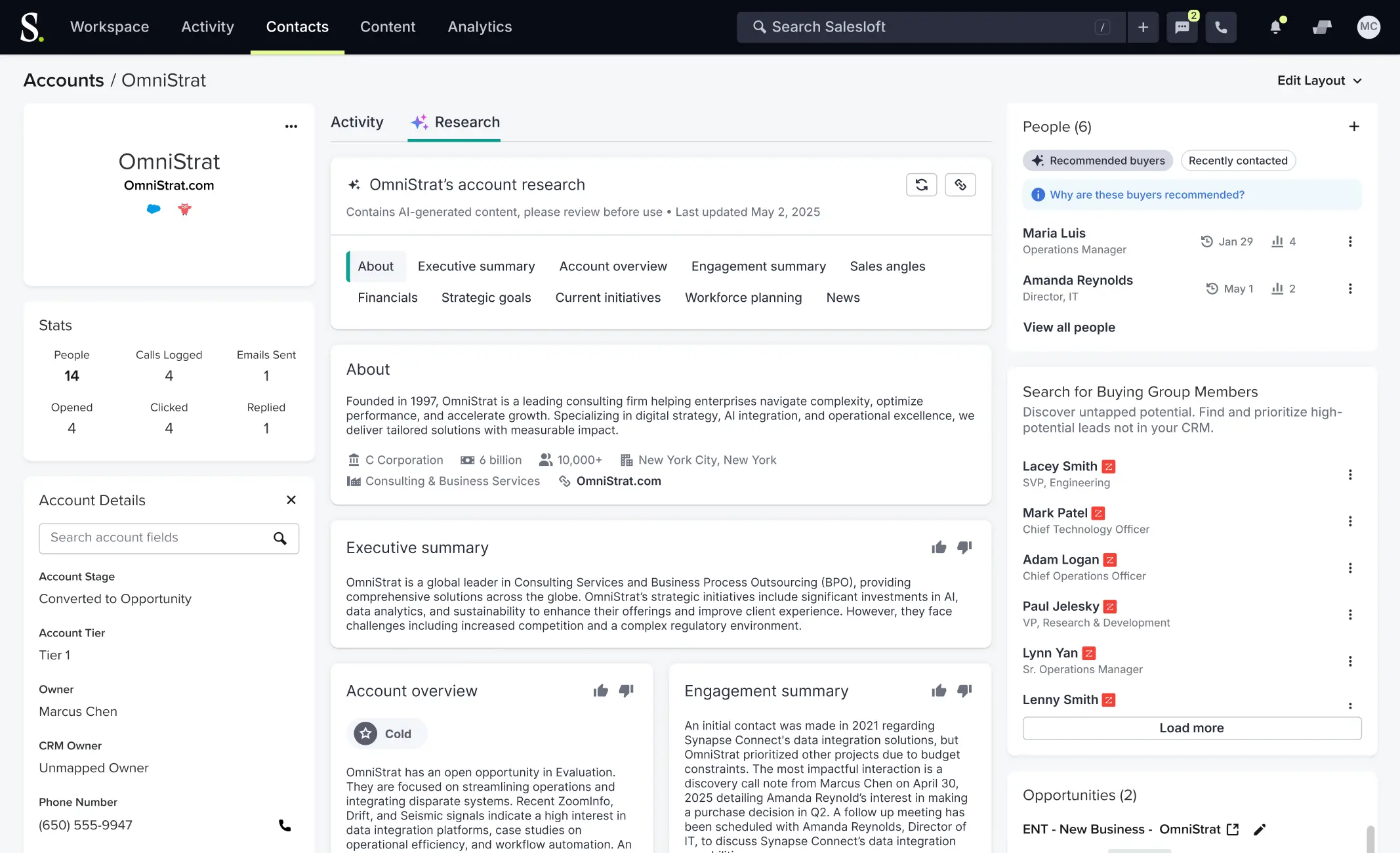
- Best For: Mid-market and enterprise teams looking for a balance between outbound engagement and revenue operations.
- Real Pricing & Hidden Costs: Pricing is quote-based, often landing between $125 and $160/mo per user. Costs can escalate quickly if you require the full suite of deal intelligence and forecasting tools.
- Top Features & AI Highlight:
- Salesloft's "Rhythm": An AI-powered signal-to-action engine that prioritizes a rep's daily tasks based on real-time buyer behavior.
- Converse AI: This feature helps automate the transcription and analysis of sales calls to identify winning patterns.
- Deal Mindset: Provides a visual health score for every deal in the pipeline, using AI to flag accounts that have gone cold.
My Verdict: The platform is highly regarded for its "Rhythm" workflow which keeps reps organized. On the other hand, the mobile app lags and the initial setup is significantly more complex than smaller competitors.
6. HubSpot Sales Hub
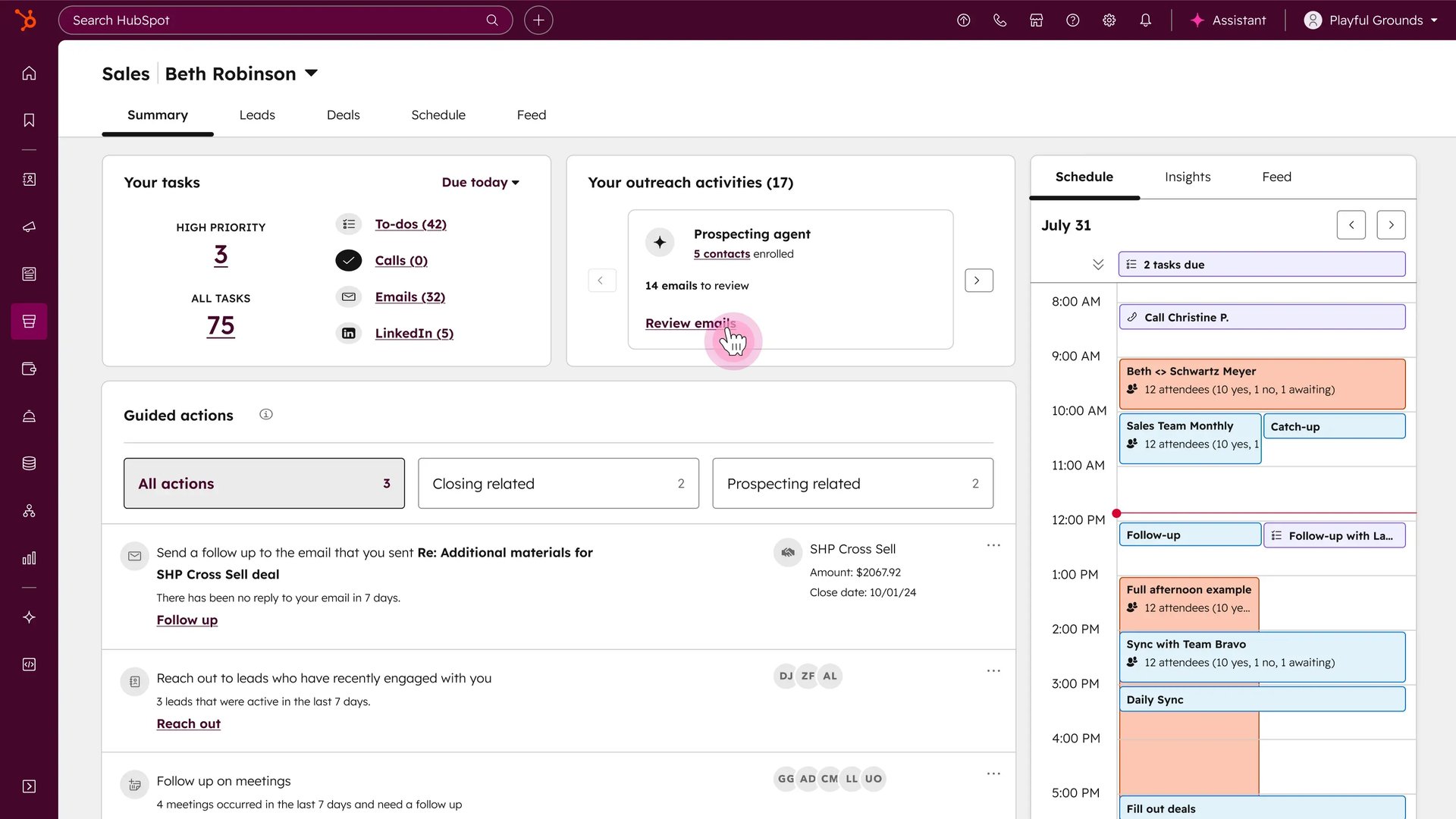
- Best For: Teams already using the HubSpot CRM who want a seamless, all-in-one automation experience.
- Real Pricing & Hidden Costs: While there is a free version, professional tiers start around $100/mo for 3,000 credits. The hidden cost often lies in the jump to the Enterprise tier, required for advanced automation and custom reporting.
- Top Features & AI Highlight:
- HubSpot's AI Content Assistant: Uses generative AI to draft emails, summarize long threads, and create follow-up tasks directly within the CRM.
- Predictive Lead Scoring: Automatically ranks leads by their likelihood to close, letting reps focus on high-intent prospects.
- Automated Sequences: Trigger-based workflows that send personalized emails and create tasks for reps based on prospect actions.
My Verdict: I love the ease of use and having everything under one roof, but once you scale beyond basic needs, the pricing becomes prohibitively expensive compared to specialized best-of-breed tools.
7. Salesforce (Sales Cloud)

- Best For: Complex, global organizations that need a highly customizable CRM with limitless automation potential.
- Real Pricing & Hidden Costs: Professional editions start at $100/mo, but most sales teams need the Enterprise tier at $175/mo. Additional costs for AI features and third-party integrations can double your initial budget.
- Top Features & AI Highlight:
- Agentforce: Salesforce's suite of autonomous AI agents that handle end-to-end tasks like researching leads, updating CRM fields, and managing follow-up workflows without human intervention.
- Flow Builder: A powerful automation engine that handles complex logic, from lead routing to automated billing triggers.
- Revenue Intelligence: AI-driven forecasting that helps sales leaders predict quarterly performance with high accuracy.
My Verdict: It is the gold standard for customization; if you can dream it, you can build it. But "Salesforce fatigue" is real: the interface can feel clunky and you almost always need a dedicated admin to keep the automation running smoothly.
8. Reply.io
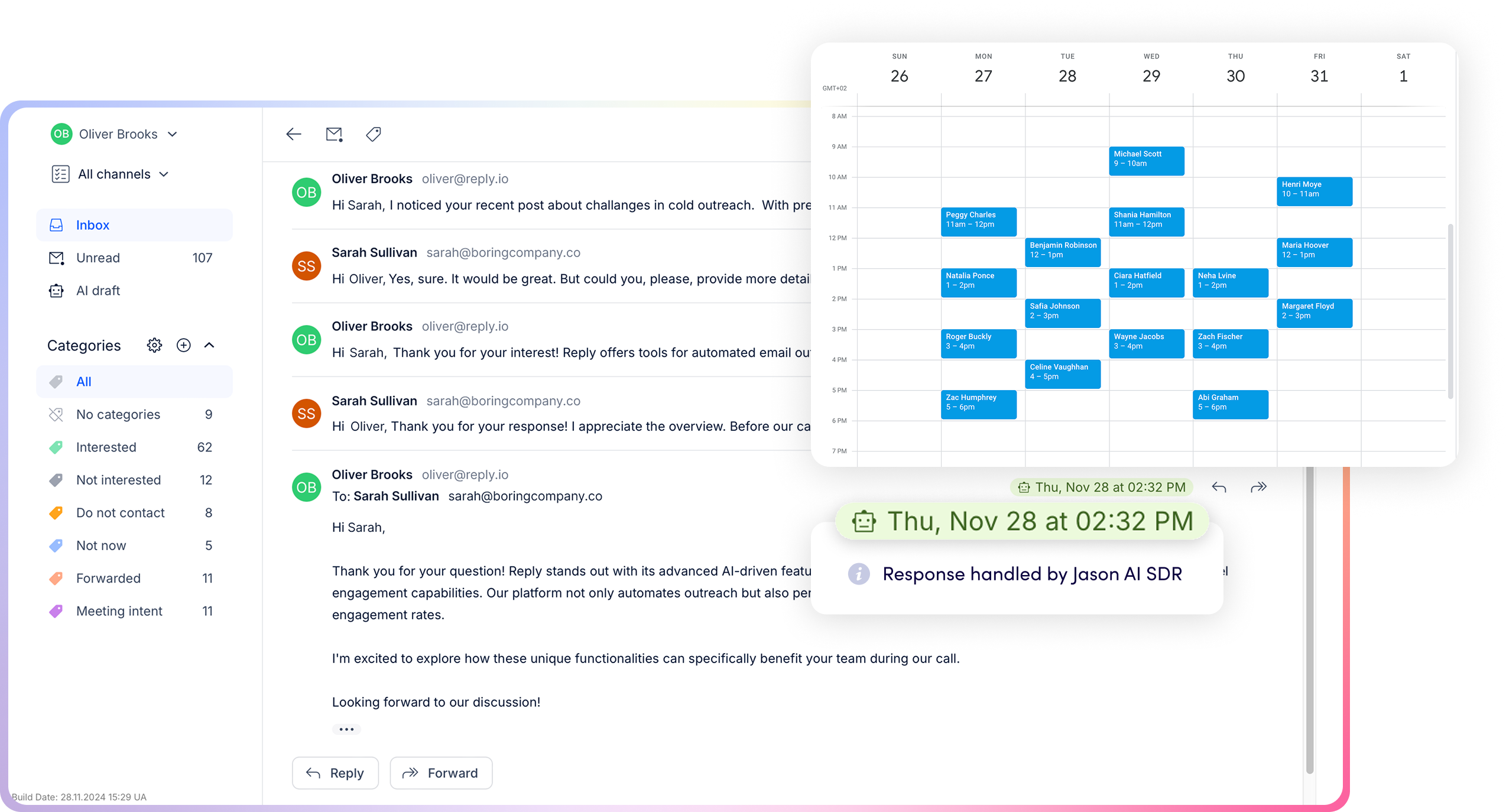
- Best For: Small to mid-sized teams focusing on multichannel outbound (Email, LinkedIn, and WhatsApp).
- Real Pricing & Hidden Costs: Pricing starts at $159/month for the Email Volume plan, focused on high-volume email outreach. For teams requiring a multichannel approach, the Multichannel plan begins at $89/month. Several add-ons and policy details can increase the total cost.
- Top Features & AI Highlight:
- Reply's "Jason AI": A personal sales assistant that drafts emails, handles initial prospect responses, and even books meetings on your behalf.
- Multichannel Sequences: Automates touchpoints across platforms so your message isn't ignored.
- AI Meeting Assistant: Automatically records and summarizes your calls, syncing the data back to your preferred CRM.
My Verdict: I appreciate how "Jason AI" takes the hard work out of drafting cold emails. However, the LinkedIn automation can be buggy at times, requiring frequent manual intervention to avoid account flags.
9. Instantly.ai

- Best For: Agencies and high-volume cold emailers who need to scale outreach across hundreds of domains without getting blacklisted.
- Real Pricing & Hidden Costs: Plans start at $47/month for unlimited accounts, scaling to $97 and $358 for higher volume. The main hidden costs are the time and money spent setting up secondary domains to protect your brand. Custom enterprise pricing is also available.
- Top Features & AI Highlight:
- AI-Powered Warmup: Automatically builds the reputation of your email accounts to ensure high deliverability at scale.
- Instantly B2B Lead Finder: An AI-filtered database to source prospects based on specific technographic and firmographic data.
- Unibox: A centralized inbox that uses AI to categorize and prioritize replies from all your domains.
My Verdict: It is widely considered the best tool for pure cold email volume. The main issue is that it lacks the deep CRM integration and human sales features found in more expensive tools, making it better for lead gen than for managing complex deal cycles.
10. The Stack (Custom Best-of-Breed)
- Best For: Operations-savvy teams who prefer to connect specific, best-in-class tools rather than using an all-in-one platform.
- Real Pricing & Hidden Costs: Costs vary widely depending on your choices (e.g., combining Claap + lemlist + a lightweight CRM). The cost here is the time spent on integration and maintenance using tools like Zapier or Make.
- Top Features & AI Highlight:
- Modular AI Integration: By picking individual tools, you get the specific AI features you need, like Claap's AI meeting summaries for internal data, without paying for features you don't use.
- Vendor Independence: You aren't locked into a single ecosystem, so you can swap out a tool if its AI becomes outdated.
My Verdict: This approach offers the most flexibility and often the best per-tool performance. However, without a dedicated RevOps specialist, you risk ending up with a fragmented system held together by fragile automations that frequently break.
The "Stacked Strategy": Why Top Teams Build Best-of-Breed Stacks
Old-school, legacy monoliths promise simplicity but often leave teams siloed with rigid, outdated tools. Today, the most effective organizations look for powerful, all-in-one AI engines that seamlessly talk to each other, letting you centralize your data without sacrificing execution speed at any stage of the funnel.
The Claap + lemlist + CRM Stack
This is the gold standard for high-quality engagement. My take is that it offers a seamless flow from lead to close. lemlist handles hyper-personalized outreach, though it is important to note the nuance here.
Once prospects are in a meeting, Claap provides the AI meeting intelligence needed to automatically update your CRM with deal risks and next steps. I've noticed this workflow drastically reduces the data decay that happens when reps forget to manually log notes.
Pros & Cons
Building this way offers flexibility, but requires a hands-on approach. Our guide on sales metrics can help you decide which parts of your funnel need this support.
- Pros: You avoid vendor lock-in, save money by paying only for what you use, and stay agile enough to swap tools as technology evolves.
- Cons: Managing API integrations requires oversight. Without a focus on RevOps, you risk a fragmented system held together by fragile automations that frequently break.
3 Things to Watch Out For When Choosing Your Tool
Selecting a platform is only half the battle. Navigating these three implementation realities is what separates a high-performing tool from an expensive digital paperweight.
The Hidden Cost Trap
Beyond the sticker price, account for secondary expenses like credit-based data and dialer fees. Enterprise-level tools often mandate five-figure onboarding fees. My advice is to calculate the total cost of ownership, including AI add-ons, before signing.
Data Hygiene First
Automation scales errors. Teams ruin their domain reputation by blasting unverified lists. You need a rigorous verification process; it is better to reach 100 verified prospects than to have 1,000 messages bounce and flag your account. Our guide on AI sales tools highlights the best software for keeping your data clean.
The "Robot" Risk and the Manual Pivot
The greatest danger is over-automating. My advice is to use a hybrid workflow that blends speed with a human touch:
- Automate the hard work: let the software handle Touch 1 (cold intro) and Touch 2 (automated bump).
- The Manual Pivot: if there is no reply after two steps, the software triggers a manual task for the rep to stop the automation.
- Personalized Touch 3: the rep then executes a tailored touch, recording a custom video via lemlist or making a call using insights from Claap.
- Why it Matters: this prevents blasting prospects with generic emails while maintaining the conversion power of human personalization.
Choosing the right tools is about giving your team the space to focus on the person across from them. By automating the repetitive parts of the process, you ensure every lead receives a follow-up and every meeting insight is saved. The best systems support your intuition and give you more time for high-value work.
Ready to reclaim your schedule and focus on closing? Get started with Claap for free and optimize your sales workflow today.
FAQ
What is the difference between a CRM and sales automation?
A CRM is the database or filing cabinet where lead information is stored. Sales automation is the execution engine that performs actions like sending emails, scheduling follow-ups, and updating those database records automatically.
Are there good free sales automation tools?
Yes. You can use, for example, Claap's free tier for meeting notes or HubSpot's free CRM. Additionally, outreach platforms like lemlist and Instantly offer free trials to test their features.
How do I avoid sounding like a robot in cold emails?
Use AI to write 80% of the draft, then manually add 20% personalization. This includes adding custom video snippets via lemlist or referencing a specific company news event to ensure the message feels human.
What is the best tool for a lean startup?
Claap is the standard for founder-led sales and call coaching. For cold outreach, lemlist or Instantly are the most effective options for small teams to maintain consistent communication without hiring extra staff.