.png)
This release is all about giving you more control. Over how your workspace gets used, how your Claaps look to the people you share with, and how your call data lands in your CRM and recap notifications. Eight new things, grouped into three stories.
🧑💼 More visibility and control for workspace admins
The Members page has been fully rebuilt. Admins can now see exactly how many minutes each teammate has recorded this month, manage Pro plan usage, and stay on top of seat allocation, all from one screen.
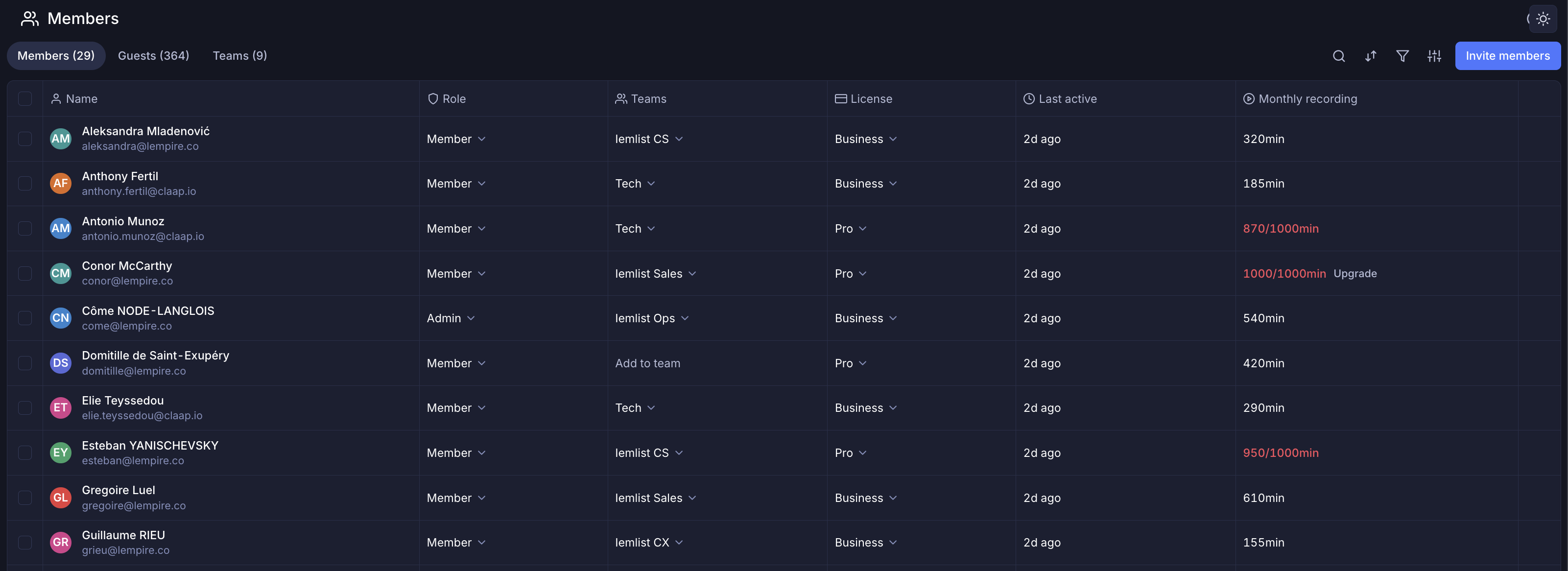
No more manual filtering. No more "why is my recording limit hit?" support tickets. You get:
- A new Monthly recording column, plus a revamped Last active column (both toggleable)
- Visual warnings when a user approaches their monthly limit, with an upgrade CTA built in once they hit 100%
- The familiar table layout you already know from Object reports, with search, sort, filter, edit view, and CSV export
- An Invite members button promoted to the top header so onboarding never gets buried
We also rebuilt the invite popins. Whether you invite from a Claap, a folder, or Workspace Settings, you can now assign the new user to a specific team and role at the moment of invite. One step instead of three, cleaner team structure from day one.
🎨 Make Claap yours, and your viewers' too
Three customization upgrades worth a look.
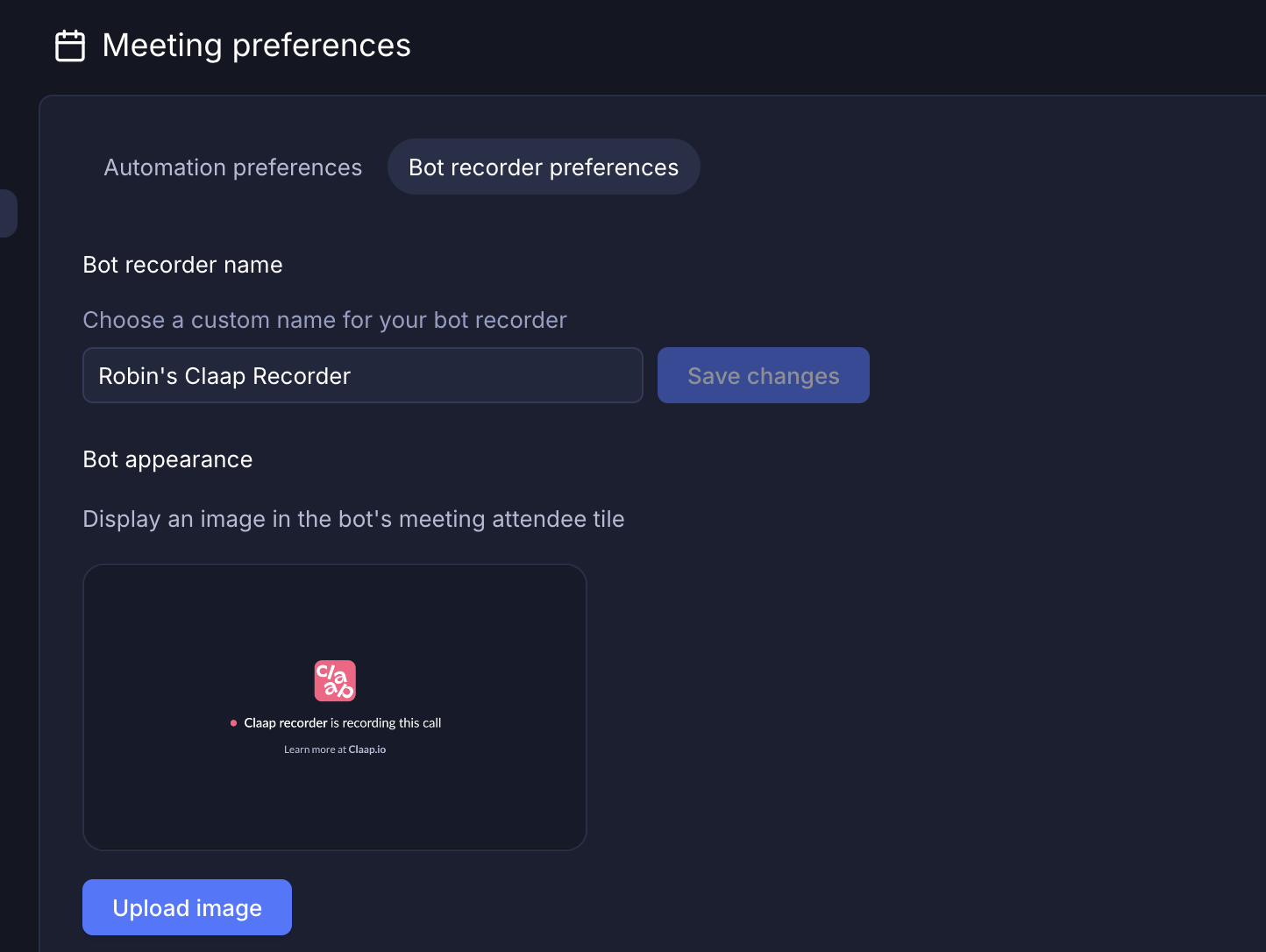
Custom bot background image (Business). Replace the default Claap bot tile with your own logo or a discreet image in client-facing meetings. Configure it in Meeting preferences > Bot recorder preferences.
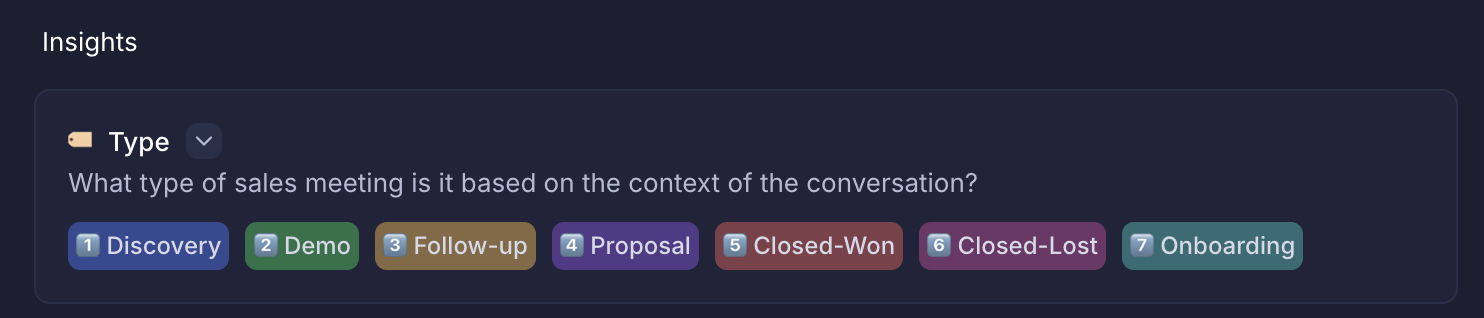
Colors in Insight templates. Select and multi-select fields now come with automatic color coding so your reports are far more scannable at a glance. Manual color picking is on the way next.
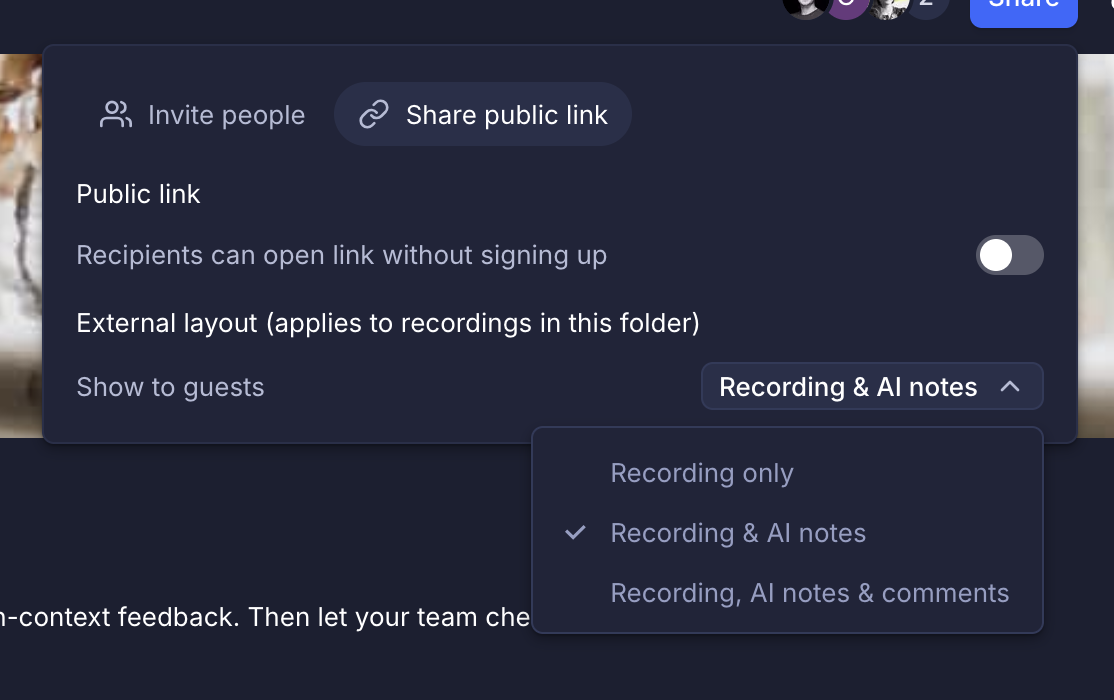
Personalized public link layouts. When you share a Claap externally, decide exactly what guests and public viewers see. Three options: video only, video + transcript, or video + AI summary. Perfect for prospect demos, client recaps, or any time you want a clean, branded share without exposing internal context.
📞 Cleaner VoIP recaps and CRM call data
If your team runs high-volume cold calls through lemlist, Ringover, Aircall, or Allo, two changes will make a real difference.
- Smarter recap notifications. You can now filter meeting-recap notifications by meeting source in Admin Automations. Silence the email flood from cold-call sessions while keeping recaps on for client meetings.
- Cleaner CRM sync. Call recordings now route to the Call object in your CRM instead of the Meeting object. Your pipeline data finally lands where sales teams expect it.
Small fixes, big day-to-day impact for anyone running Claap with a VoIP tool and HubSpot or Salesforce.
✨ And a bit more
Two more things worth calling out. Object reports now support pagination across Companies, Contacts, Deals, and Meetings, with 20/50/100 rows per page and total counts. And public link layouts inherit at the channel level, so children pick up the parent's setting automatically.

As always, we build this off your feedback. Let us know what you use, what you don't, and what you want next.
