Claap now captures your contact emails
Connect your CRM and Claap automatically captures the emails you exchange with your contacts, alongside your calls and meetings. One timeline per deal, AI grounded in the whole conversation, and the full context in your MCP.
You record your calls in Claap, and you get the transcript, the summary and the AI answers on top. But a lot of every deal never happens on a call: the pricing question answered over email, the “let me loop in security” reply, the renewal date confirmed in a thread three weeks ago. Until now, none of that lived in Claap, so your interaction history (and the AI built on top of it) only ever saw half the conversation.
📥 Your contact emails, captured automatically
Connect your CRM with Email Sync on, and Claap now pulls in the emails you exchange with your contacts, right alongside your meetings and calls. Once Email Sync is on and you’ve connected your mailbox, your recent contact emails come in automatically.
What you can do:
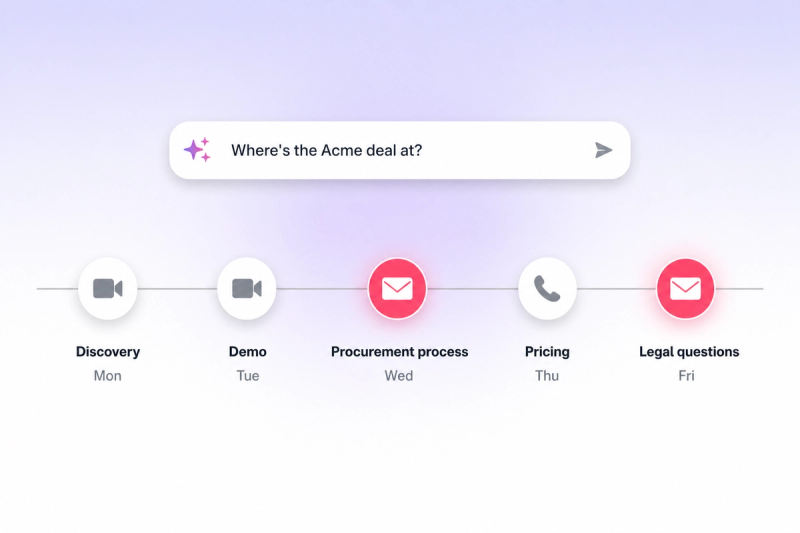
- One timeline per contact and deal. Calls, meetings and emails in order, so you stop jumping between the inbox, the CRM and the call recording.
- AI you can actually trust. Those emails feed Claap AI, so when you ask “what’s the status of this deal” or “what did we commit to,” the answer is grounded in the whole conversation, not just the calls.
- Full context in the MCP. The captured emails are available through Claap’s MCP server too, so your AI assistant and agents reason over the complete deal history.
💡 Pro tip — open an active deal you’ve been emailing and check the timeline. You’ll probably spot a commitment or a next step you’d have missed.
Email capture is live today. Here’s how to set it up: connect your CRM, turn on Email Sync, and connect your mailbox.