

Magic Clips
Add context to your coaching and see meeting highlights with Magic Clips 🪄
You know better than anyone, salespeople don't like wasting time...
Meetings were too long for you, so we sped them up. But even that wasn’t fast enough, so we let you edit them down. But honestly, who has the time to edit meeting recordings? Not you, that’s for sure.
That’s why you can now see all the highlights from your meeting using Magic Clips 🪄
See every time a pain is shared, competitor is spoken of, or metric is mentioned to get straight to the juiciest bits of your meeting.
Add context to your coaching
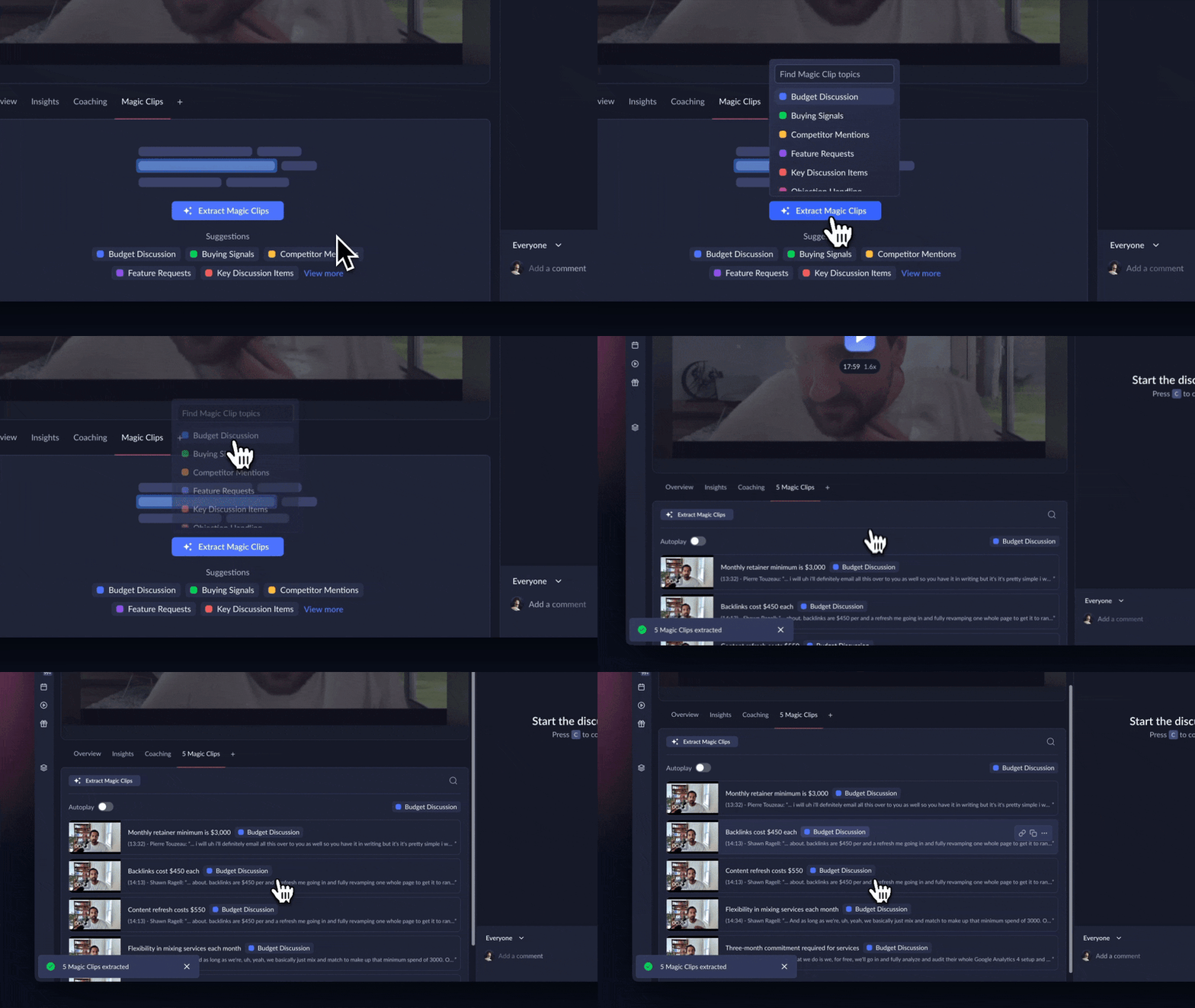
Head to the ‘Magic Clips” tab to pull video insights out of your meeting. Select a topic whether it’s “Budget Discussion”, “Feature Requests”, or “Competitor Mentions”.
Get straight to the point
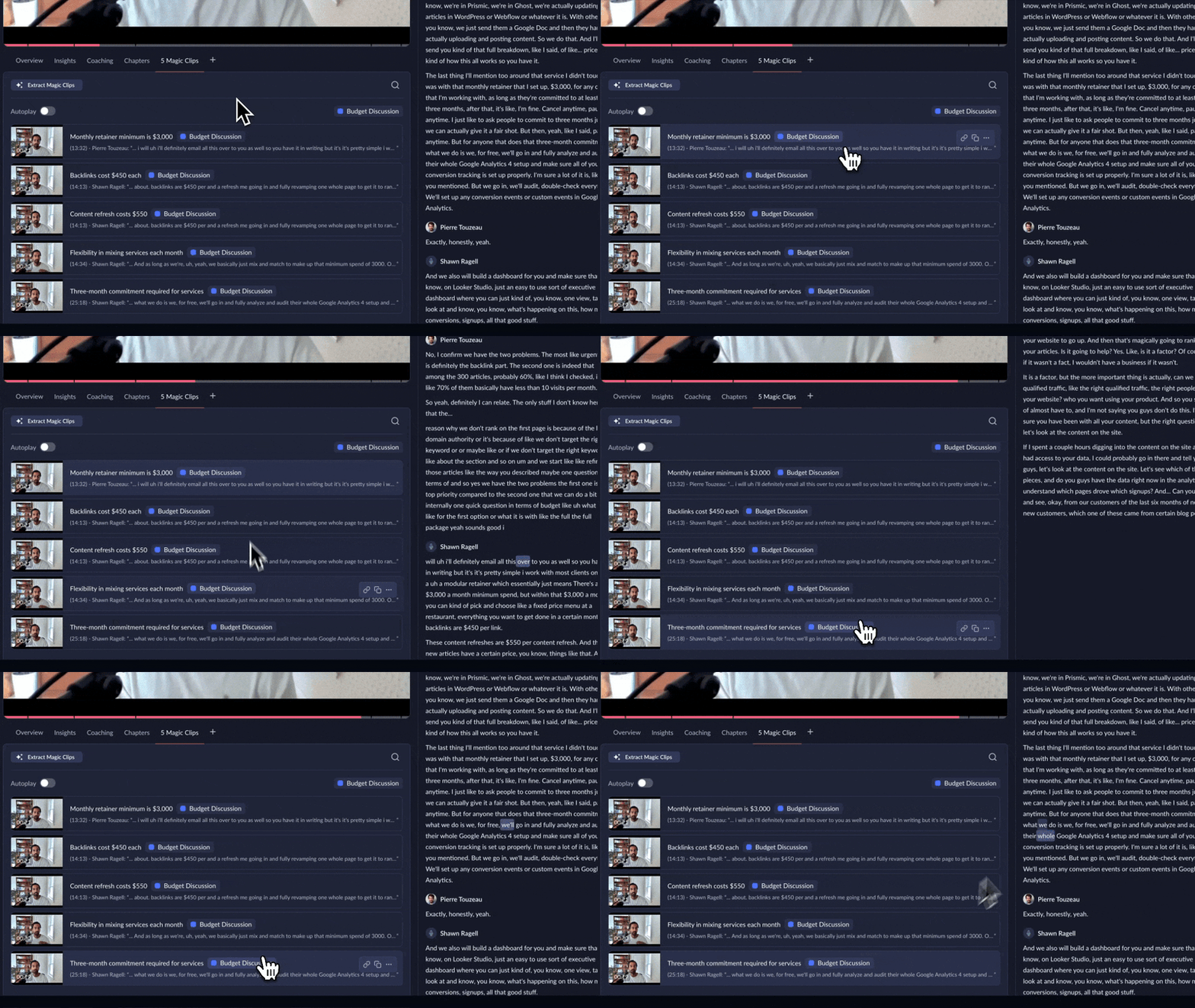
Extract five unique clips from your meeting that focus on the business critical moments. Hear pain points that could affect your conversion and arm yourself with all the information you need to follow up.
Add context to your coaching
Checkout the ‘Coaching’ tab to see how to sell more faster and then see yourself in action with Magic Clips. We’ll be linking these tabs together very soon so keep your eyes peeled for that.
You can start using Magic Clips right now in any of your meetings. Try it out and let us know what we should do next with it.
Thanks!