If you’re often exposed to online meetings, you’ve probably already heard of meeting recording softwares - whether used to rewatch yourself or to send to anyone who couldn’t make it. Among them, you’ve maybe noticed tl;dv, one of the leaders of the market.
This article is meant to help you with your decision when choosing such a software: it will help you better understand tl;dv functionalities, features, and their cost, so that you can opt for the solution that best suits your needs.
Please note: All the data in this article is accurate as of 30th December, 2025. It is possible prices have been updated since then.
At a Glance: tl;dv Pricing Tiers (2026)
Before you dive into the details, here's a quick overview of what tl;dv costs and who each plan is built for.
Current Promotion: tl;dv is offering 40% off all annual plans through 2025, which is why the annual pricing looks so attractive compared to monthly billing.
One thing stands out immediately: the massive gap between Pro ($18) and Business ($59). That's because Pro is a "productivity" tool while Business is a full sales intelligence platform. Choose Pro if you just need better meeting notes. Choose Business if you need to understand why deals are won or lost.
What is tl;dv?
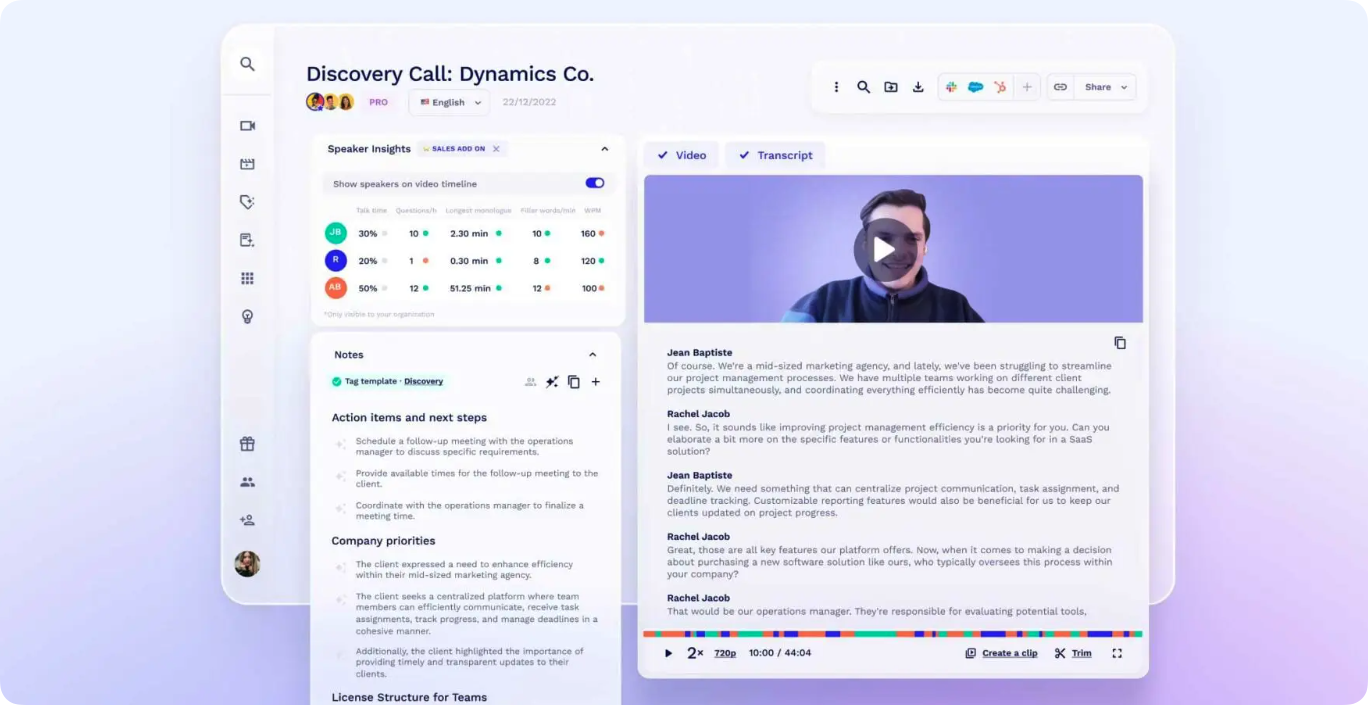
This intelligent meeting recorder provides you with a transcript of everything that was said, as well as an AI-generated summary (so people can catch up without sitting through hours of talking). It aims at simplifying your meeting processes and offers a range of features that will streamline your documentation and make information accessible. Let’s see them in detail.
Key features
- AI-powered transcription and summaries: tl;dv transcribes meetings in 20+ languages and will automatically summarize the topics discussed (highlighting key moments with AI).
- Automatic speaker recognition: tl;dv identifies the different speakers and reflects this in the transcript.
- Video clip creation: with tl;dv, you can share key moments by creating bite-size videos containing meeting insights.
Assets
- User-friendly interface: tl;dv is well-known for its ease of use. Suitable for various professionals (sales, hiring, product teams).
- Integration: tl;dv integrates with over 5000 tools for seamless workflow - for instance, with other platforms like Notion, Slack, HubSpot, but also with CRMs like Salesforce.
- Efficiency with AI: with its AI-powered meeting notes and reports, tl;dv enables you to save time (thanks to automation), to enhance the meeting outcomes (giving you the actionable insights you need), and even to track trends and performance to improve your teams’ skills (offering insights across multiple meetings).
- Collaboration: tl:dv team collaboration tools will automatically sync meeting notes and insights, improving collaboration between teams and project tracking.
Use cases
Let’s exemplify in what context a tool like tl;dv could be useful for your business:
- In a sales team: with tl;dv, you’ll take benefit from AI to auto-fill CRMs and generate follow-up emails, speeding up sales cycles and improving lead management and generation.
- In a customer success team: tl;dv will help you capture and analyze customer feedback during meetings, helping teams respond effectively to client needs and improve customer satisfaction.
- In a product team: with tl;dv, you’ll be able to analyze meetings insights to inform product strategy - and ultimately refine it - ensuring alignment with customer feedback and market demands.
Is tl;dv Really Free Forever?
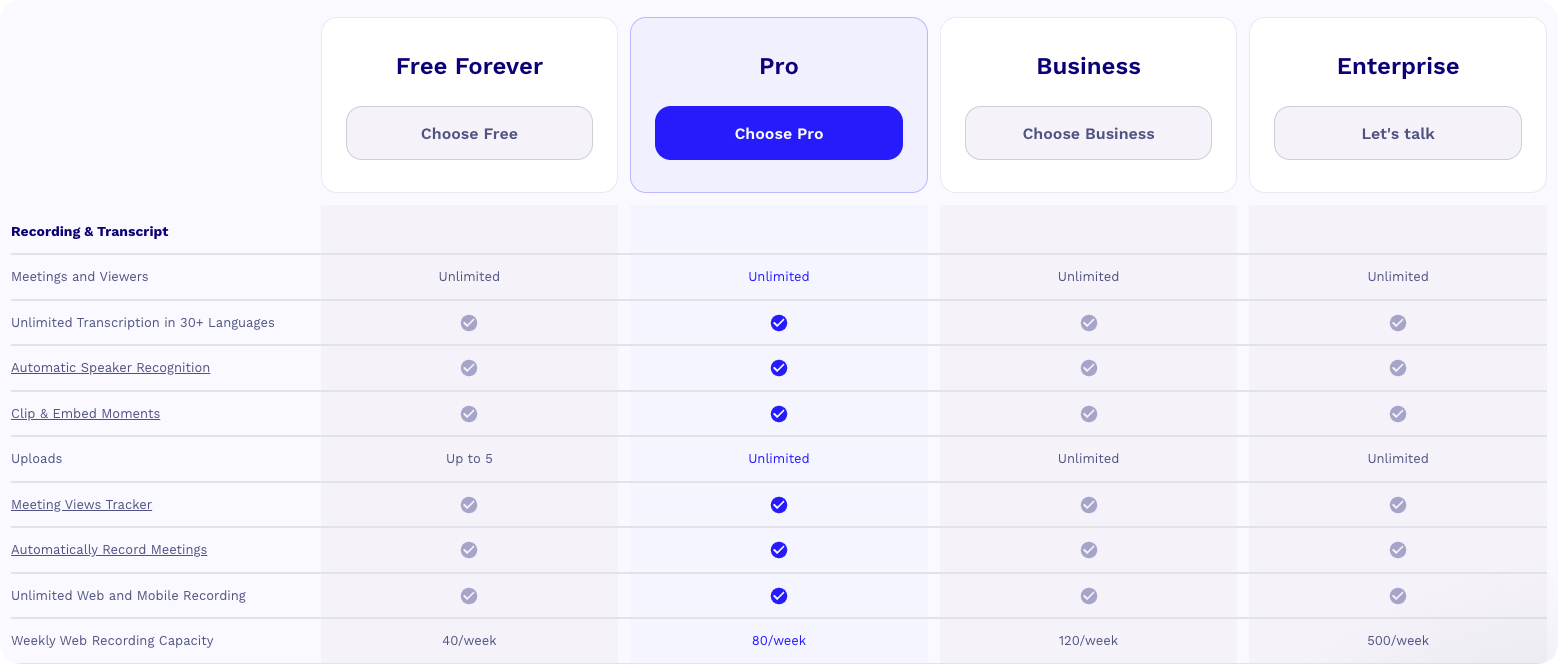
Yes, tl;dv offers a Free plan with unlimited recordings and transcripts in 30+ languages. But here's what "unlimited" actually means.
You get access to the main recording and transcription tools, which is genuinely impressive compared to competitors. However, there are some important catches you should know about before committing:
The 3-Month Deletion Policy: Your recordings are automatically deleted after 3 months. If you're building a knowledge base or need to reference old calls, this is a deal-breaker.
10 AI Notes Lifetime: You only get 10 AI-powered summaries for the entire lifetime of your account. Once you've used them, you're back to manual note-taking.
Limited Integration Access: You're restricted to basic integrations (Slack, email, calendar only). No CRM sync, no advanced workflow automation.
No Library Access: You can't organize recordings into searchable folders or channels, making it hard to find specific calls as your recording volume grows.
The Free plan works well for solopreneurs testing the waters or teams with minimal transcription needs. But if you're serious about meeting intelligence, you'll quickly hit these walls.
Detailed Plan Breakdown: Is the Upgrade Worth It?

Pro Plan ($18/mo): For Teams & Power Users
Annual: $18 per user per month (billed annually) Monthly: $29 per user per month
The Pro plan removes the Free tier's most painful limitations. You get unlimited AI notes and summaries, which is the main reason people upgrade. Your recordings won't disappear after 3 months, and you can finally access the searchable library.
Key upgrades:
- Unlimited AI-powered notes and follow-up emails
- CRM sync via Zapier (requires separate Zapier subscription)
- Global Search across all your recordings
- Team Folders for organizing by project or client
- Unlimited downloads and storage
Who it's for: Internal teams, managers, and anyone who needs reliable meeting documentation without the storage anxiety. If you're not in sales, this is probably your sweet spot.
Business Plan ($59/mo): For Sales Teams
Annual: $59 per user per month (billed annually) Monthly: $98 per user per month
Here's where tl;dv gets serious about sales intelligence. The jump from $18 to $59 looks steep, but you're not just getting more features - you're getting an entirely different product category.
Key upgrades:
- Native Salesforce and HubSpot integrations (no Zapier tax)
- AI Coaching with performance insights and talk-time analysis
- Customizable Sales Playbooks for your methodology (MEDDIC, BANT, SPIN)
- Objection Handling analysis to spot patterns across deals
- Claude AI integration for superior summary accuracy and speed
The Business plan competes directly with Gong, which costs $100-130 per user per month (plus setup fees). You're getting roughly 80% of Gong's features for 5% of the price.
Who it's for: Sales teams between 5-50 reps who need conversation intelligence, deal insights, and coaching at scale. If you're closing deals worth $10K+, one extra close per quarter pays for this.
Enterprise: Custom Scale
Pricing: Contact sales for custom quote
The Enterprise plan doesn't add new features beyond Business. What you're paying for is infrastructure:
- Private AI hosting (your data never touches shared servers)
- Dedicated Customer Success Manager
- Customized billing and contract terms
- Priority support with guaranteed SLA
Who it's for: Organizations with 50+ users or strict security/compliance requirements (healthcare, finance, legal).
The Hidden Costs & Limits You Missed
The pricing table tells you what you'll pay, but here's what the marketing pages don't emphasize.
The Real Cost of "Unlimited" on the Free Plan
tl;dv markets its Free plan as "unlimited recordings," and technically that's true. But unlimited recording doesn't mean unlimited access. Here's what happens to those recordings:
3-Month Auto-Delete: Every recording older than 90 days gets automatically deleted. Building a searchable knowledge base? Referencing a discovery call from 4 months ago? Not possible on Free. This isn't mentioned prominently on the pricing page, but it's arguably the most important limitation.
10 AI Notes Forever: The Free plan gives you 10 AI-generated summaries for the entire lifetime of your account. Not per month - total. Once those are gone, you're transcribing meetings manually or paying for a subscription.
Integration Costs Add Up
The Pro plan ($18/mo) includes "CRM integration," but there's a catch: it's through Zapier, not native. If you don't already have a Zapier subscription ($20-50/mo depending on your automation volume), you'll need to factor that in.
The Business plan ($59/mo) includes native Salesforce and HubSpot integrations, which actually saves you the Zapier cost if you're syncing meeting data to your CRM regularly.
Weekly Recording Caps
This one's buried in the fine print:
- Free plan: 40 recordings per week maximum
- Business plan: 120 recordings per week
If your sales team does 3-4 calls per day per rep, you'll hit the Free plan cap with just 2 reps. Scale to 5-10 reps and even the Business plan starts feeling restrictive.
Time Investment for Sales Playbooks
The Business plan's biggest draw is customizable Sales Playbooks (MEDDIC scoring, objection tracking, etc.). But these don't work out of the box. You need to:
- Define your qualification criteria
- Train the AI on your specific scoring methodology
- Iterate on prompts until the insights are actionable
Budget 10-15 hours of setup time from a sales leader before you see ROI. It's worth it, but it's not instant like the marketing suggests.
tl;dv Pricing: Pros and Cons

So, what can we say about these different pricing options? Let’s dive into the analysis of pros and cons so you get your opinion.
Pros
First, we can notice that the Free plan allows you to test not only the recording and transcription features, but also some of tl;dv’s AI-powered tools (which is not always the case in the market), so you can make up your mind.
Moreover, tl;dv offers discounts for non-profit organizations and NGOs - even if the amount is not indicated.
And overall, the Pro solution seems to be the best offer, since the price remains affordable, and it gives unlimited access to all the recording and transcription features, and to most of the AI tools and integration capacities.
Cons
However, tl;dv pricing structure might not be suitable for everyone.
First, the Free solution is drastically limited (10 AI-powered summaries for the lifetime of the account), and isn’t meant to be really used by teams - more solopreneurs.
Moreover, the price difference between Pro and Business can seem huge (more than x3), since the features they give access to are quite similar (the main difference lies in some advanced AI tools). And the Enterprise solution will even be more expensive with less differences.
However, even if you’re considering the Pro solutions, you should be aware that other software propose more comprehensive sets of features, or less limitations (whatever plan you choose, tl;dv has a max limit of 3 hours for recorded or uploaded meetings, and you’ll have to start a new meeting after that).
You might also be looking for special tools like sentiment analysis, advanced collaboration features (like video annotation, thread creation or polls), or all-in-one libraries for your videos (tl;dv is designed to be integrated with other tools and have videos hosted there). Here's what we're hearing from customers who recently switched from TL;DV to Claap:
- Limited field enrichment: Can only extract to open text fields, not structured data (select/multi-select/numbers) that's critical for automation and reporting
- HubSpot integration gaps: Field enrichment only works at deal/company level, not contact level
- Stability issues: Inconsistent performance affecting daily workflows
- Feature rollout problems: New features launched before being fully functional
Thus, if you are interested in some particular functionalities that might lack in tl;dv, check our top 5 alternatives to tl;dv here.
tldv vs. Competitors: Value Comparison
So how does tl;dv's pricing stack up against the competition? Let's look at the three most common alternatives.
vs. Claap (Sales Intelligence for Modern Teams)
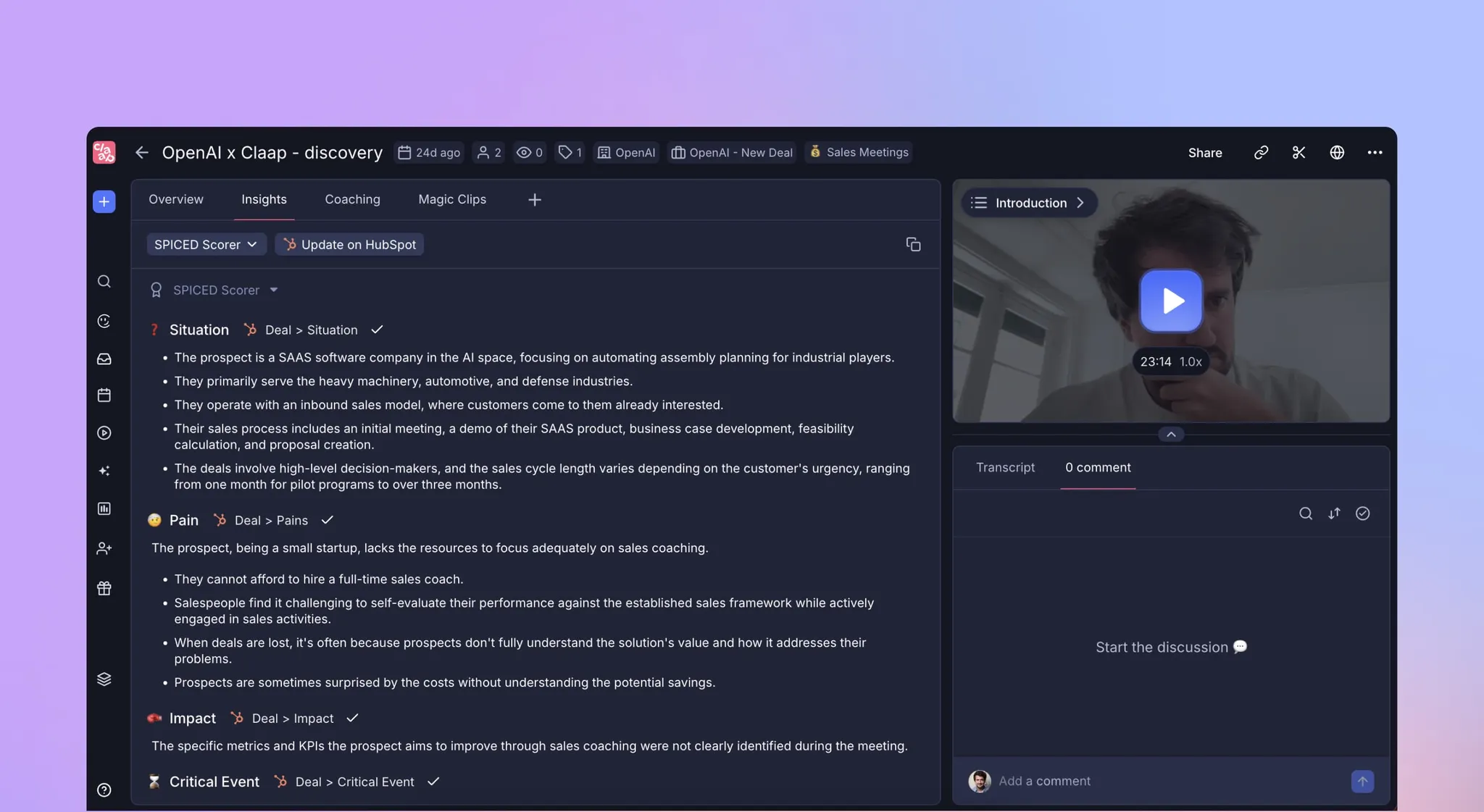
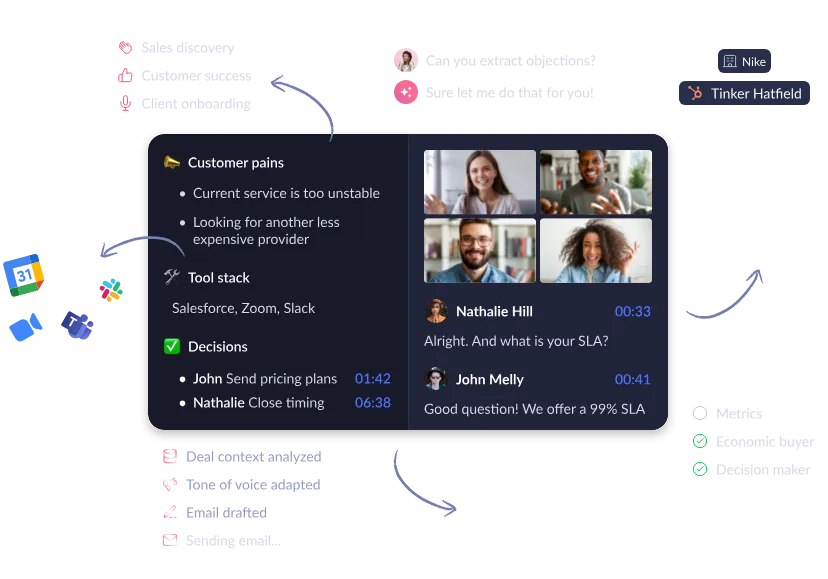
tl;dv positions itself as a meeting recorder with AI features. Claap positions itself as a complete sales workspace that happens to include meeting recording.
Why Teams Switch from tl;dv to Claap (Based on real Customer Feedback):
- Deeper AI Automation: Claap saves 30+ minutes per call with automated follow-ups and CRM enrichment vs. tl;dv's 10-15 minutes of note-taking savings. "With tl;dv, we still do manual work for follow-ups. Claap's AI emails and insights save huge time."
- Custom Sales Frameworks: Claap lets you build templates matching your methodology (MEDDPICC, BANT, SPIN). tl;dv uses generic summaries. "We can't customize tl;dv to fit our qualification framework. Claap tailors to our MEDDPICC process."
- AI Coach vs. Clip Sharing: Claap analyzes every call, identifies coaching moments, and provides rep-specific feedback automatically. tl;dv offers basic clip sharing. "tl;dv helps share recordings, but Claap's AI Coach offers structured feedback that's invaluable for ramping reps."
- Semantic Search: Claap finds relevant moments by understanding context, not just keyword matching. "Finding specific pain points across 100s of calls was nearly impossible with tl;dv. Claap's semantic search is a game-changer."
- Platform vs. Point Solution: Claap offers AI Agent (automation), AI Analyst (insights), and AI Coach (performance) as one unified workspace. "tl;dv feels like a point solution. We need Claap's all-in-one platform for notes, insights, and coaching."
- Better CRM Integration: Claap supports structured data fields (select/multi-select/numbers) and HubSpot contact-level enrichment. tl;dv only does deal/company level with open text fields.
The Bottom Line:
Choose tl;dv if: You just need basic meeting recording and transcription at the lowest price.
Choose Claap if: You need a complete sales workspace with automation that saves 30+ minutes per call, customizable AI matching your sales process, and robust coaching features.
vs. Gong (Enterprise Sales Intelligence)
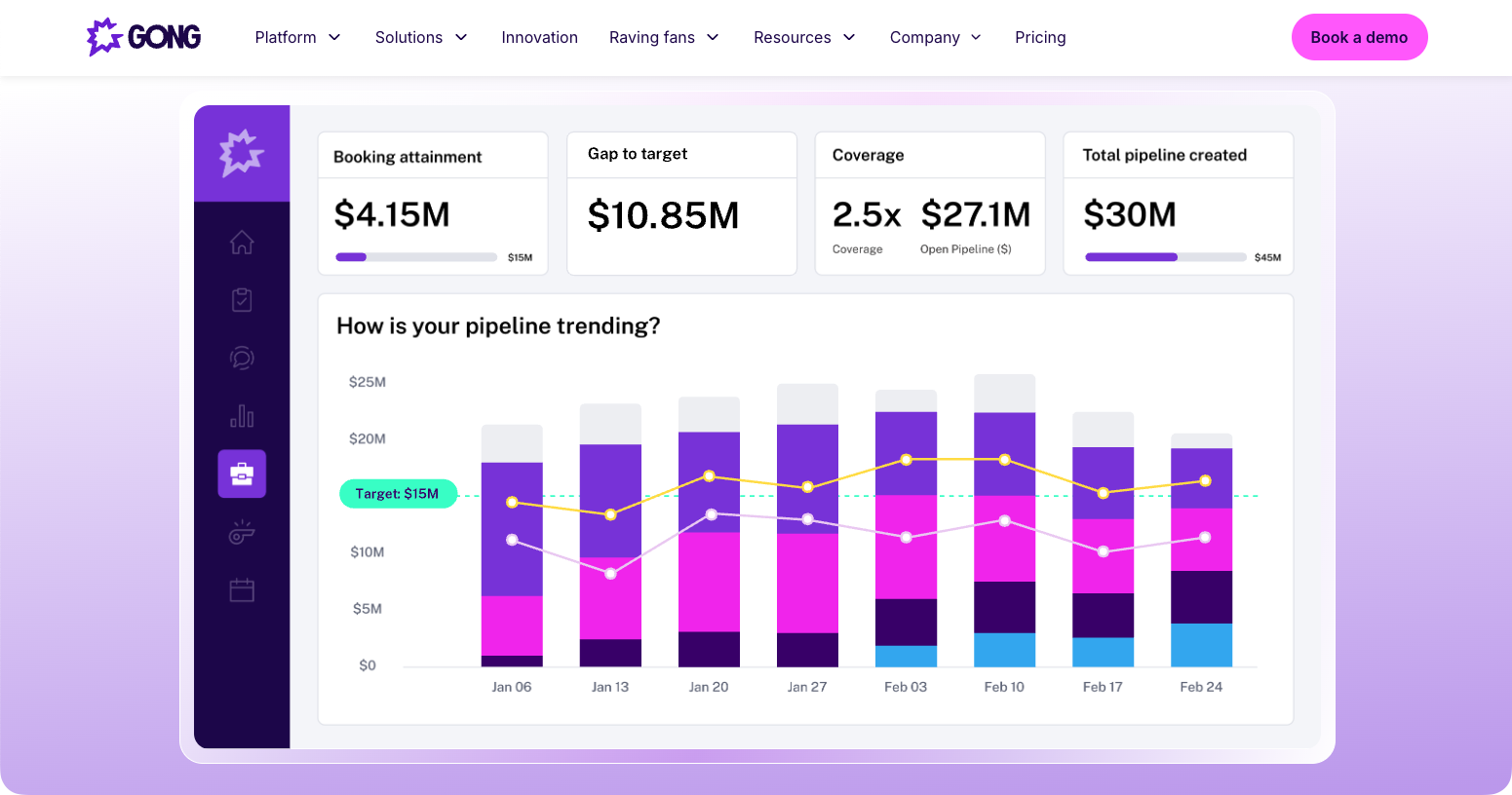
Gong pricing: Gong costs $100-130 per user per month (plus setup fees). tl;dv Business is $59/month.
The Value: tl;dv offers roughly 80% of Gong's core features - conversation intelligence, deal insights, coaching - for about 5% of the price. You lose some advanced forecasting, but for teams under 50 reps, those features often go unused.
Verdict: Choose tl;dv for growing sales teams (5-50 reps) needing Gong-level insights without the enterprise price. Choose Gong for 100+ reps with sophisticated revenue forecasting needs.
vs. Fireflies (AI Note-Taker)
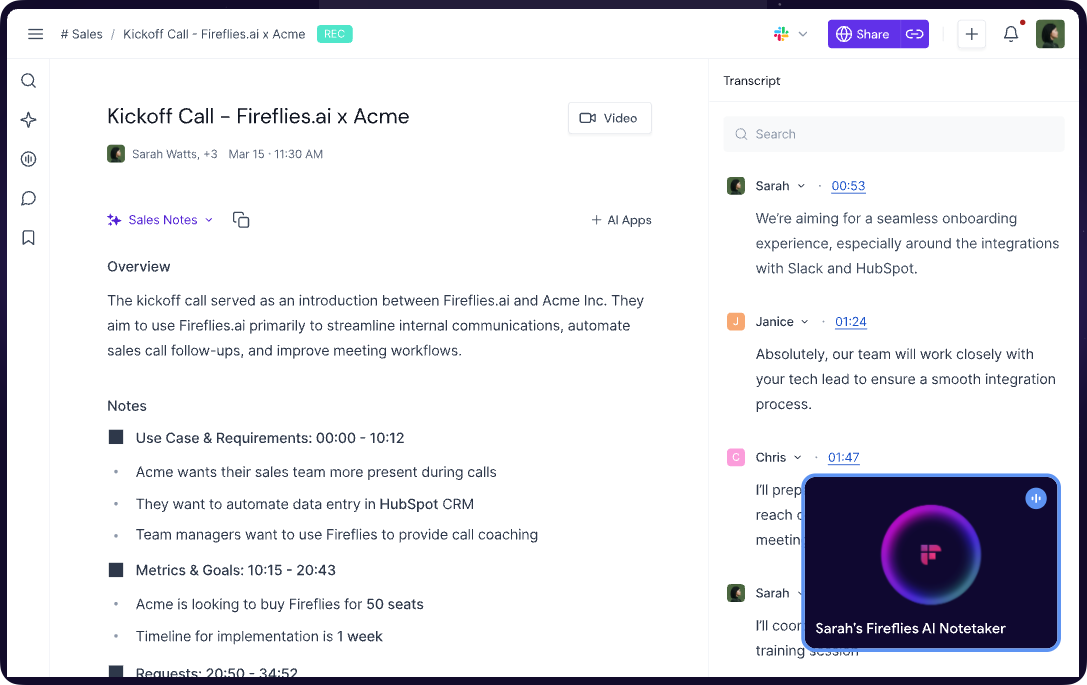
Fireflies pricing: Fireflies is cheaper at the entry level - $10/month vs. tl;dv's $18 for Pro. But you get what you pay for.
Where tl;dv Wins:
- Multilingual support: 30+ languages with high accuracy vs. Fireflies' more limited language options
- Video-first design: tl;dv records video + audio; Fireflies is primarily audio with video as an add-on
- Better sales features: tl;dv's Business plan includes coaching and playbooks that Fireflies doesn't match
Where Fireflies Wins:
- Lower entry price for basic transcription needs
- Longer storage on free tier (no 3-month deletion)
Verdict: Choose Fireflies if you're purely transcribing internal meetings and want the cheapest option. Choose tl;dv if you need video recordings, work with international clients, or plan to upgrade to sales intelligence features.
Which Plan Matches Your Team?
The abstract pricing numbers matter less than what you get back. Here's how to think about ROI for your specific situation.
Freelancer or Solopreneur
Recommended: Stick with tl;dv Free plan, but set calendar reminders to download important recordings before the 3-month deletion window.
Why: You're probably doing 5-10 client calls per week. The Free plan's 40 recordings/week cap won't affect you. Just remember those 10 lifetime AI notes - use them strategically for your most important pitch calls or discovery sessions.
Cost: $0 Time saved: ~30 min per week from not rewatching calls
Marketing, Product, or Internal Teams
Recommended: tl;dv Pro Plan at $18/month (annual)
Why: You need unlimited AI summaries and permanent storage, but you don't need sales-specific features like playbooks or objection tracking. The Pro plan removes the Free tier's frustrating limits while keeping costs reasonable.
Cost: $216/year per person
Time saved: 2-3 hours per week from automated summaries and searchable transcripts
Break-even: If your loaded hourly cost is $50, you break even in about 4 weeks
Alternative to consider: If your team also needs screen recording for async video communication (product demos, design reviews, training content), Claap's Pro plan at 24€/month includes both meeting recording and screen recording in one workspace.
Sales Team (5-20 reps)
Recommended: tl;dv Business Plan at $59/month (annual) or Claap Business at 48€/month (annual)
Why tl;dv works: Solid conversation intelligence at an affordable price. You get AI coaching, playbooks, and native CRM integrations that help close deals faster.
Cost: $708/year per rep
Expected value: 1-2 extra deals per rep per quarter + 20-30 hours of manager time saved
Break-even: Usually hits within the first 60 days
Why some teams choose Claap instead: If your sales process requires deep customization (custom qualification frameworks like MEDDPICC scoring), or if you need more sophisticated CRM enrichment with structured data fields, Claap offers these capabilities at nearly identical pricing (48€/month annual - actually cheaper than tl;dv's $98/month).
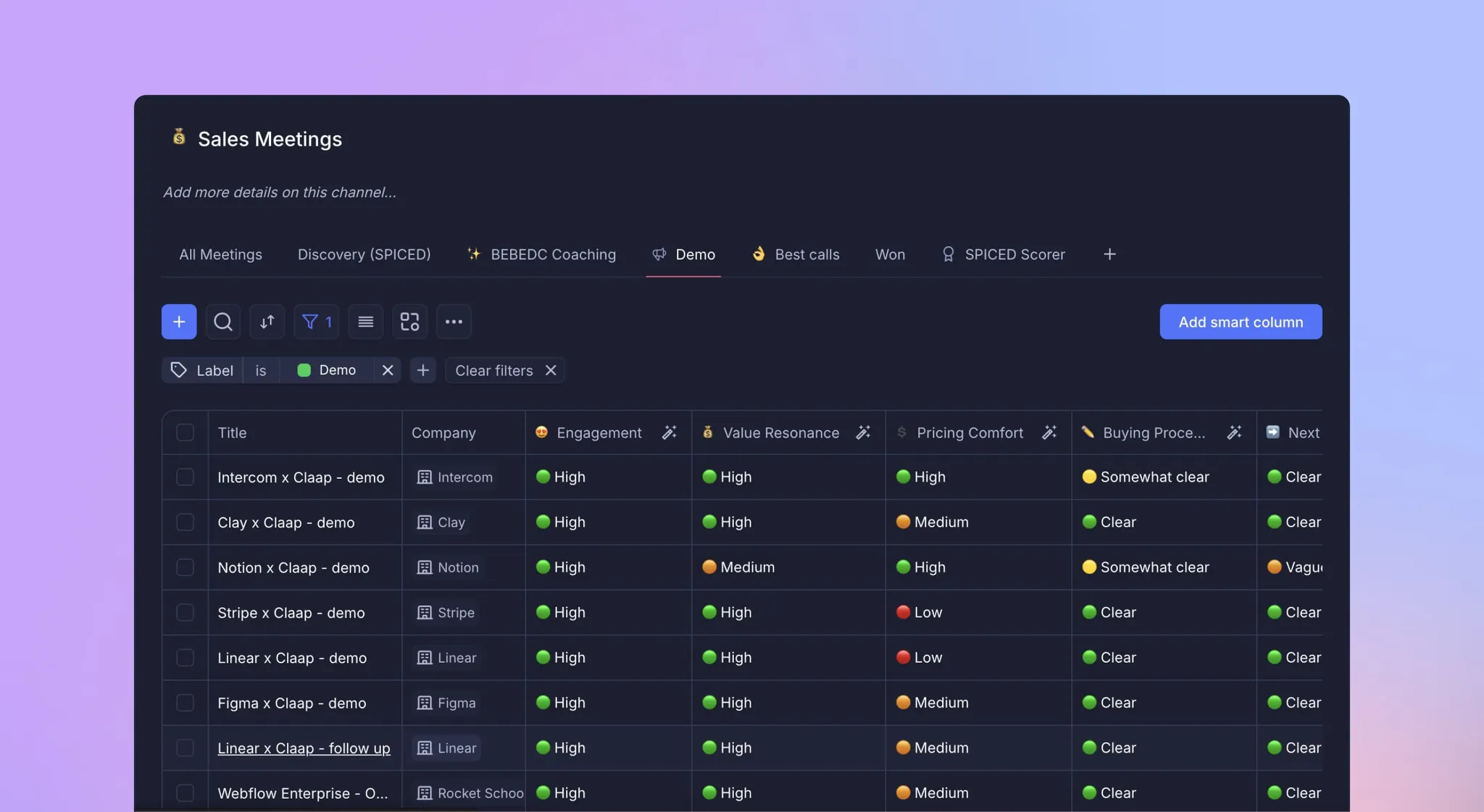
Real example: TenderApp saw their SQL-to-win rate jump from 9% to 15% using conversation intelligence to identify which discovery questions correlated with closed deals. Whether you choose tl;dv or Claap, the ROI math is similar - one extra deal per quarter typically pays for the entire team.
The decision: Choose tl;dv for straightforward meeting intelligence. Choose Claap if you need customizable AI templates, semantic search across calls, or contact-level CRM enrichment in HubSpot.
Enterprise (50+ users)
Recommended: Contact sales for custom pricing from either tl;dv Enterprise or Claap Enterprise
Why: At this scale, negotiate volume discounts (typically 20-30% below list price). You need dedicated CSM support, private AI hosting for security compliance, and proven stability at high call volumes.
Cost: Typically drops below Business plan per-seat pricing at volume Expected value: Standardized sales processes across regions, reduced security/compliance risk, dedicated support for rollout
The math changes at enterprise scale because conversation intelligence becomes part of your revenue infrastructure, not just a productivity tool. You're optimizing for consistency and compliance, not just individual rep performance.
Platform consideration: For enterprises, evaluate whether you need just meeting intelligence (tl;dv's strength) or a unified sales workspace that combines meeting recording, async video, deal insights, and coaching in one platform (Claap's positioning). Both offer enterprise-grade security and support.
Frequently Asked Questions
Is tldv really free forever?
Yes, the Free plan is genuinely free with no time limit. However, "unlimited recordings" doesn't mean unlimited access - your recordings are automatically deleted after 3 months, and you only get 10 AI-generated summaries for the entire lifetime of your account. The Free plan works well for testing the platform or for very light usage (1-2 calls per week), but most teams outgrow it quickly.
Why is the Business plan so much more expensive than Pro?
The jump from $18 (Pro) to $59 (Business) reflects a fundamental shift in product category. Pro is a meeting note-taking tool. Business is a sales intelligence platform that competes with Gong ($100-130/month). You're paying for AI coaching, playbooks, objection analysis, and native CRM integrations - features that directly impact revenue, not just productivity.
Does tldv charge per user?
Yes, tl;dv uses a seat-based pricing model. Each person who records meetings needs their own license. However, you can share recordings with unlimited viewers for free - they just can't record their own meetings without a license.
Can I cancel monthly?
Yes, tl;dv offers flexible monthly billing without long-term contracts. However, monthly billing costs significantly more (63% premium on Pro, 66% premium on Business). The 40% discount on annual plans is substantial enough that most teams choose annual billing even if they're not completely certain they'll use it for 12 months.
What happens to my recordings if I downgrade to Free?
Your existing recordings stay accessible, but you immediately hit the 3-month retention policy going forward. Any new recordings will be deleted after 90 days. Your past recordings beyond the most recent 3 months will also be deleted. If you're considering a downgrade, download any important recordings first - once they're deleted, they're gone permanently.
How does tldv compare to just using Zoom's built-in recording?
Zoom records meetings, but that's where the similarity ends. tl;dv adds automatic transcription (30+ languages), AI-generated summaries with action items, speaker identification, searchable moments, CRM integration, and team collaboration features. The difference is manual vs. automated workflows. If you're currently spending 15-20 minutes after every call writing notes and updating your CRM, tl;dv automates that entirely.
What's included in the "40% off annual" promotion?
tl;dv is currently offering 40% off annual subscriptions across all paid plans (Pro and Business). This brings Pro down to $18/month and Business to $59/month. The promotion has been running throughout 2025. While the marketing materials don't specify an end date, this type of discount typically runs until the next major pricing update (which often happens yearly for SaaS products).
What is the best tldv alternative?
The best alternative depends on your needs. Claap is the strongest option for sales teams needing more than basic meeting recording.
Choose Claap over tl;dv if you need:
- Deeper automation: Saves 30+ minutes per call (vs. tl;dv's 10-15) with automated follow-ups and structured CRM enrichment
- Custom sales frameworks: Build AI templates matching your methodology (MEDDPICC, BANT, SPIN) - tl;dv only offers generic summaries
- Better CRM integration: Contact-level enrichment in HubSpot with structured fields (tl;dv only does deal/company level)
- Semantic search: Find insights by context across hundreds of calls, not just keyword matching
- Scalable AI coaching: Automated rep-specific feedback, not just clip sharing
Pricing: Claap Business is 48€/month (annual) vs. tl;dv's $59/month.
The verdict: Stick with tl;dv for basic recording. Choose Claap for customizable AI, better automation, and serious sales coaching. Try Claap free for 10 videos with full features.
Conclusion
Claap's pricing structure might seem similar to tl;dv's. However, differences appear when you look closer to what each license can give you access to - and for what price.
First, there is a true difference between Pro and Business license, whether in terms of functionalities (AI coaching, AI-generated emails, performance insights), integrations (HubSpot, Salesforce) or of course volume (from 1000 mins/month to unlimited transcription and recording, and 3 years of storage instead of 2). However, the Business license remains cheaper than tl;dv's (20% cheaper if billed yearly, 40% if billed monthly). On the other hand, the Pro license gives access to more functionalities for an equivalent price (like screen recording and superior collaboration tools or editing features), and might be tailored to your needs if you have only 4 or 5 hours of meetings to record every week.
So overall, with 4 very distinct licenses, Claap could be the best compromise in terms of software capabilities and price options, and meet the needs of any type of business. With Claap's cost-effectiveness, you no longer have any excuses for not taking your business to the next level using the power of AI!
FAQ